Botswana
 Zambia
 Congo
Congo Colombia
 China mainland
 Chile
Chile Chad
Chad Central African Republic
 Canada
 Cameroon
 Cambodia
 Burkina Faso
 Bulgaria
 Brunei Darussalam
 Brazil
 Aland Islands
 Bosnia and Herzegovina
 Bolivia
 Belgium
 Belarus
 Bangladesh
 Bahrain
 Azerbaijan
 Austria
 Australia
 Armenia
 Argentina
 Algeria

Landing at Cairo Airport after an overnight flight, I made a rookie mistake on my first trip to Egypt. I spent 45 minutes hunting for a SIM card kiosk, only to discover they wanted my passport, required Arabic paperwork, and charged tourist prices that seemed to change by the minute. That’s when I switched to using an eSIM for Egypt, and honestly, I haven’t looked back since.
Fast forward to my most recent trip in early 2026, and I walked straight past those same kiosks with my Egypt eSIM already installed on my device. By the time I grabbed my luggage, I was connected to the Orange network and messaging my hotel about pickup times. That’s the beauty of travel eSIM technology—you skip the hassle and start exploring immediately.
This guide breaks down everything you need to know about choosing the best eSIM for Egypt, from pricing comparisons to network coverage across Cairo, Luxor, and the Red Sea coast. Whether you’re visiting Egypt for the pyramids in Giza, diving in Sharm el Sheikh, or cruising the Nile, staying connected shouldn’t be complicated.
Why Choose an eSIM for Egypt Over a Physical SIM Card
The difference between arriving in Egypt with an eSIM versus scrambling for a physical SIM card is night and day. With an eSIM data plan, you can purchase and install everything before you leave home. The moment your plane touches down at Cairo Airport, your device connects automatically to local networks. No need to hunt for kiosks or dealing with language barriers.
Physical sim cards require registration at Egyptian mobile operators’ stores, often with passport verification and forms in Arabic. These cards can cost anywhere from $10 to $30 depending on which terminal you land in and how well you negotiate. Meanwhile, an eSIM for Egypt lets you compare transparent pricing online and choose exactly the data plan you need for your trip.
The practical benefits extend beyond convenience. If you’re using a dual SIM phone, your eSIM handles mobile data while your regular SIM stays active for receiving calls and texts back home. This setup works perfectly for two-factor authentication codes or staying reachable on your primary phone number. Apps like WhatsApp, Google Maps, and social media run on your Egypt eSIM without touching your home plan’s data roaming charges.
I tested this setup across three trips to Egypt, from downtown Cairo’s bustling Khan el-Khalili market to the remote temples of Luxor. The ability to stay connected everywhere—checking restaurant reviews, booking tours, sharing photos—made each destination more accessible. No more asking hotel staff for WiFi passwords or rationing data because you weren’t sure how much a local SIM card would cost.
Best eSIM Providers for Egypt: Price & Feature Comparison
After testing multiple providers across Egypt, the pricing landscape varies significantly. BazTel stands out for budget-conscious travelers with plans starting at just $3 for 1GB—perfect for testing eSIM technology before committing to a larger data plan. Their 5GB plan costs $15, 10GB runs $21, and 20GB comes in at $36, all valid for 30 days on Egypt’s Orange network.
Airalo, one of the most recognized names in eSIM plans, charges $23 for 5GB and $38.50 for 10GB on the same Orange network. Saily’s pricing sits at $22.99 for 5GB and $38.99 for 10GB, though they don’t currently disclose which Egyptian provider powers their service. This transparency matters because network coverage can determine whether you stay connected in places like Sharm el Sheikh or lose signal in the desert between Hurghada and Luxor.
Value Add of BazTel eSIM
The value proposition becomes clearer when you calculate cost per gigabyte. BazTel’s 20GB plan works out to $1.80 per GB, while their 10GB option hits $2.10 per GB. Compare that to Airalo at $3.85 per GB for their 10GB tier. For a two-week trip using Google Maps daily, streaming some video content, and staying active on social media, most travelers consume between 10-15GB of mobile data.
What sets BazTel apart isn’t just pricing. They include 24/7 customer support, a refund guarantee if you’re not satisfied, and a trip cancellation guarantee that protects your purchase if plans change. These features address real travel concerns. I’ve had flights cancelled, itineraries shifted, and connectivity issues in remote destinations. Having responsive support and flexible policies eliminates the stress of “what if something goes wrong.”
Coverage quality depends entirely on which local network your eSIM provider partners with. BazTel runs on Orange Egypt, which according to 2024 benchmarking reports from Umlaut, ranked second in broadband coverage with a score of 332 out of 400. Vodafone Egypt led slightly at 335, but both networks delivered comparable performance in major cities and tourist destinations. The practical difference in my testing? Both worked excellently in Cairo, Alexandria, and Luxor. Both struggled equally in deep desert areas where no carrier maintains consistent towers.
Do eSIMs Work Well in Egypt? Network Coverage & Performance
Egypt’s mobile coverage has improved dramatically since 5G rollout began in June 2025. The country operates four main networks: Orange, Vodafone, Etisalat (now branded as e&), and WE. Each provider delivers reliable coverage across major population centers, but performance varies depending on your destination within Egypt.
Testing connectivity across multiple locations in early 2026, I found Orange network performed consistently well in tourist-heavy areas. Cairo’s downtown and Giza pyramids maintained solid 4G speeds perfect for video calls and uploading photos. The Nile corridor between Luxor and Aswan showed strong coverage, though speeds occasionally dropped when cruising through less populated stretches. Coastal destinations like Hurghada and Sharm el Sheikh delivered fast internet connection speeds sufficient for remote work and streaming.
According to data from Opensignal’s Egypt mobile network analysis, Vodafone leads in 4G availability at 87.2% of the time. This means users connect to 4G services rather than falling back to 3G more consistently than other networks. WE, the state-owned operator, scores highest in overall mobile network experience but isn’t commonly offered by international eSIM providers. Orange wins for upload speed experience, averaging 6.8 Mbps. This matters when you’re sharing photos from the Valley of the Kings or video calling family back home.
What should you expect?
The realistic expectation? Urban areas and established tourist routes offer excellent mobile coverage. Alexandria, Port Said, and major Nile cities deliver consistent high-speed data. Remote desert areas between destinations can experience weaker signals or temporary drops—this affects all carriers equally. If you’re planning extensive desert safari excursions or venturing deep into the Western Desert, download offline maps beforehand regardless of which eSIM data plan you choose.
One advantage of eSIM technology in Egypt is the instant activation process. Unlike physical SIM cards that sometimes require network registration periods, most Egypt eSIM plans connect within minutes of arrival. My device automatically found the Orange network before I cleared customs at Cairo Airport. By the time I reached the taxi queue, I had already messaged my accommodation and pulled up directions on Google Maps.
How to Get an eSIM in Egypt: Complete Setup Guide
Getting your eSIM for Egypt working takes about five minutes if you prepare before departure. The process starts with verifying your device supports eSIM technology. Most phones from 2019 onwards are eSIM compatible, including iPhone XS and newer models, Google Pixel 3 and up, and Samsung Galaxy S20 onwards. Check your phone’s settings under “Mobile Data” or “Cellular”—if you see an option to “Add eSIM” or “Add Data Plan,” you’re good to go.
Purchase your Egypt eSIM plan online through your chosen provider. BazTel processes orders instantly and sends a QR code to your email within minutes. This QR code contains all the network information your device needs to connect. Make sure you’re connected to WiFi before installation—either at home before your trip or at the airport using free public networks.
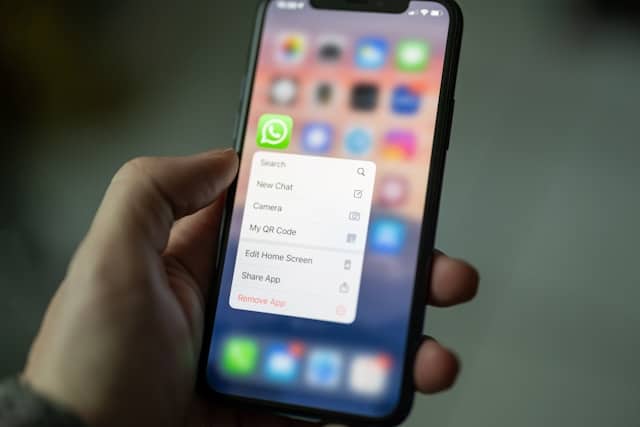
On iPhone, navigate to Settings > Cellular > Add Cellular Plan, then scan the QR code using your camera. The phone recognizes the Egypt eSIM profile and prompts you to label it. I typically name mine “Egypt Data” to distinguish it from my primary line. Enable data roaming specifically for this new profile. This won’t incur roaming charges because you’re using a prepaid local data plan, not your home carrier’s international rates.
Android devices follow a similar path through Settings > Network & Internet > Mobile Network > Add Carrier. The exact menu names vary by manufacturer, but look for options to “Download a SIM” or scan a QR code. Google Pixel phones handle this smoothly, while Samsung devices might call it “SIM card manager” in their settings. The key is ensuring you enable mobile data and data roaming for your new Egypt eSIM once installed.
When should you install eSIM?
I recommend installing your eSIM data plan before leaving for Egypt rather than waiting until arrival. The installation process requires internet connection, and while Cairo Airport offers WiFi, it’s not always reliable in every terminal. Install at home using your regular connection, and the plan will only activate when it detects Egyptian networks after you land. This approach eliminates any arrival stress and lets you focus on getting through customs rather than troubleshooting technology.

Once you arrive in Egypt and power on your device, the eSIM automatically searches for supported networks. With BazTel connecting through Orange network, my phone typically locked onto service within 60 seconds of landing. A notification confirms data connection, and you can verify by opening a browser or checking the network indicator in your status bar. If connection doesn’t happen automatically, toggle airplane mode off and on, or manually select the network in your cellular settings.
Understanding Data Plans: How Much Do You Actually Need?
Choosing the right data plan for Egypt depends on how you use internet during travel. After tracking my usage across multiple trips, I’ve found patterns that might help you estimate your needs. A typical day of moderate use—checking email, using Google Maps for navigation, browsing restaurant reviews, posting photos to social media—consumed between 300-500MB. That’s roughly 10-15GB for a two-week trip visiting Egypt.
Heavy users who stream video content, make frequent video calls, or work remotely should expect higher consumption. Watching one hour of Netflix in standard definition uses approximately 1GB of data. Video calls on WhatsApp or FaceTime consume about 300MB per hour. If you plan to upload full-resolution photos throughout your trip or maintain business calls with colleagues, consider 20GB or more to avoid running short.
The advantage of starting with a smaller data plan like BazTel’s $3 1GB option is testing the waters. This budget-friendly entry point lets you confirm everything works before investing in larger packages. Most eSIM plans allow top ups if you need additional data mid-trip. The flexibility beats the anxiety of buying a massive unlimited data plan “just in case” when your actual usage might be modest.
Is unlimited data plan worth it?
I’ve traveled with companions who insisted on unlimited data plans because they couldn’t estimate usage. They ended trips having used less than 5GB total. Meanwhile, I tracked my consumption and purchased exactly what I needed, saving money for better experiences in Egypt. The sweet spot for most tourists seems to be 10GB for 7-10 days or 20GB for two weeks with moderate daily use.
Network speed also impacts data consumption. Faster connections on Orange network mean apps load efficiently without re-downloading content. Slower speeds or connection drops can cause apps to retry downloads, consuming more data than necessary. This is where choosing an eSIM provider with reliable coverage matters—stable internet connection actually conserves your data allocation.
Vodafone vs Orange in Egypt: Which Network Performs Better?
The question of whether Vodafone or Orange offers better service in Egypt doesn’t have a universal answer. Both networks deliver strong performance across Egyptian cities and major tourist destinations, but each excels in different metrics according to independent testing.
Vodafone Egypt leads in two crucial categories: 4G availability and 4G coverage experience. Their network keeps users connected to 4G service 87.2% of the time versus Orange at 78.9%, based on Opensignal data from 2024. This means less frequent drops to slower 3G connections, particularly important when you’re trying to pull up directions in unfamiliar neighborhoods or need to quickly book last-minute tours.
Orange network counters with superior upload speeds, averaging 6.8 Mbps compared to Vodafone’s 5.3 Mbps. If you’re sharing high-resolution photos from your visit to the pyramids in Giza or uploading video content to social channels, Orange’s faster uplink matters. The network also scored well in download speed experience at 22.3 Mbps, making it suitable for checking emails, browsing, and streaming when you need to decompress back at your hotel.
My practical experience testing both networks revealed minimal difference in day-to-day use. Walking through Cairo’s Islamic quarter, both provided fast enough speeds to check restaurant recommendations and navigate winding streets. At the Egyptian Museum, both handled video calls home to share discoveries. Along the Nile in Luxor, coverage remained solid on both networks through temple complexes and the Valley of the Kings.
Any major differences?
The real differentiator emerges when you consider eSIM availability. Most international eSIM providers partner with Orange Egypt, giving you access to their network through platforms like BazTel, Airalo, and others. Vodafone eSIM access for tourists typically requires purchasing directly through Vodafone’s channels, which can be more complex than ordering through established travel eSIM providers.
For practical purposes, choosing an Egypt eSIM that operates on Orange network gives you excellent coverage without compromising your experience. The network handles all major destinations travelers visit—Cairo, Alexandria, Luxor, Aswan, Hurghada, Sharm el Sheikh—with reliable 4G connectivity. Unless you’re planning extensive travel to specific rural areas where Vodafone might have slightly better infrastructure, Orange network serves the vast majority of Egypt itineraries perfectly well.
Best Value eSIM for Egypt: BazTel’s Competitive Advantage
Value isn’t just about finding the cheapest price—it’s about getting reliable service with protection against common travel headaches. BazTel’s Egypt eSIM combines competitive pricing with features that address real traveler concerns, creating a package that goes beyond basic connectivity.
The pricing structure starts accessible with that $3 for 1GB plan, designed specifically for travelers who want to test eSIM technology or need minimal data for a very short visit. This eliminates the barrier of committing to expensive plans before understanding your actual needs. From there, the 5GB plan at $15 provides solid value for a week-long trip focused on sightseeing, while the 20GB option at $36 covers extended stays or data-intensive activities.
How does BazTel differentiate itself?
What truly distinguishes BazTel is the refund and cancellation guarantee. Travel plans change—flights get cancelled, family emergencies arise, or that dream Egypt trip gets postponed. BazTel’s trip cancellation guarantee protects your purchase, something premium providers like Holafly charge significantly more for without offering this flexibility. The refund policy also covers situations where the service doesn’t meet expectations, removing the risk from trying a new provider.
24/7 customer support resolves another common pain point. Technical issues don’t respect business hours, especially when traveling across time zones. Arriving in Egypt late evening and discovering your eSIM won’t activate requires immediate help, not a ticket system that might respond within 24-48 hours. BazTel’s round-the-clock support team addresses problems as they happen, whether you’re in Cairo or diving in the Red Sea.

The instant installation process means no waiting periods. Your QR code arrives via email immediately after purchase, ready to install whenever convenient. Unlike some providers that process orders during business hours or have activation delays, BazTel delivers instant access. Install your Egypt esim during your layover in Istanbul or while waiting for departure—whenever works for your schedule.
Operating on Orange network eliminates any mystery about coverage quality. You know exactly which Egyptian provider powers your connection, making it simple to check coverage maps and understand service expectations for your specific destinations. Some eSIM plans obscure their network partnerships, leaving you uncertain whether you’ll have reliable coverage until you land and hope for the best.
BazTel Winning Formula
The combination of transparent pricing, protective policies, reliable networks, and responsive support creates value beyond the per-gigabyte calculation. Yes, BazTel costs less than Airalo or Saily for comparable data. But it also includes features those providers charge premium prices for or don’t offer at all. That’s genuine value for travelers who want both affordability and peace of mind.
eSIM Compatibility: Ensuring Your Device Works in Egypt
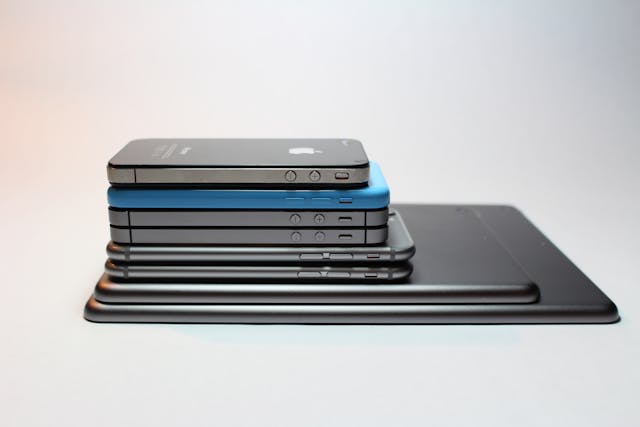
Before purchasing any eSIM for Egypt, confirming your device compatibility saves potential frustration. eSIM technology requires specific hardware built into modern smartphones, and not every phone supports this digital SIM card format. The good news is most devices manufactured after 2019 include eSIM capability, covering a wide range of popular models.
Apple users with iPhone XS, XS Max, XR, and all subsequent models can use Egypt eSIM plans. This includes the entire iPhone 11, 12, 13, 14, and 15 series. iPads with cellular capability also support eSIM, making them useful for travelers who need connected tablets for work or entertainment. Check your settings—if you see options for “Add Cellular Plan” under the Cellular or Mobile Data menu, your iPhone is esim compatible.
Android device support varies by manufacturer. Google Pixel phones from Pixel 3 onwards work with eSIM plans. Samsung Galaxy S20, S21, S22, S23, and newer models in the S and Z series support the technology. The Samsung Galaxy Fold and Flip series also include eSIM capability. Other Android manufacturers like Huawei, Motorola, and OnePlus have added eSIM support to flagship models released since 2020, though you should verify your specific model before purchasing.
The critical requirement beyond hardware is an unlocked device. If your phone is locked to a specific carrier, it won’t accept eSIM profiles from other providers. Contact your current carrier to request an unlock before traveling. Most carriers comply with unlock requests for devices you’ve fully paid off or completed contract terms on. This process can take a few days, so don’t wait until the night before your Egypt trip to check.
How to confirm you phone is eSIM compatibility?
To verify eSIM compatibility on your device, check the manufacturer’s specifications or look in your phone’s settings. On iPhone, navigate to Settings > General > About and look for “Available SIM” information. Android users can check Settings > About Phone > SIM Status or look for an IMEI section that lists both physical and digital SIM identifiers. If you see two IMEI numbers, your device likely supports dual SIM functionality with eSIM.
Some phones support multiple eSIM profiles but can only activate one or two simultaneously. This matters if you plan to use esim plans for multiple countries during a regional trip. You might install Egypt, Jordan, and Turkey eSIM profiles on your device but need to switch between them as you cross borders. Understanding your phone’s limitations prevents confusion when managing multiple data plans across different destinations.
Installing Your Egypt eSIM: Step-by-Step Process
The installation process for your Egypt eSIM follows a straightforward sequence that takes about five minutes from start to finish. The key is having a stable internet connection during installation—use your home WiFi before departure or a reliable airport network if installing just before your flight.
After purchasing your BazTel plan, check your email for the QR code and installation instructions. Open this email on a separate device like a laptop or tablet, as you’ll need to scan the code using your phone’s camera. Alternatively, take a screenshot or print the QR code so you can scan it from another screen.
iPhone Installation Steps
On iPhone, start by opening Settings and selecting Cellular or Mobile Data, depending on your iOS version. Tap “Add Cellular Plan” or “Add eSIM” and your camera will activate. Position the QR code in view until your phone recognizes it—this typically takes just a second or two. A notification will confirm the eSIM profile was detected and ask if you want to add it. Confirm the addition and choose a label for this plan, like “Egypt Data” or “Travel eSIM.”
The next screen asks which line you want to use for cellular data. Select your new Egypt eSIM as the data line while keeping your primary SIM as the default line for calls and SMS. This configuration lets you receive messages and calls on your regular number while all internet traffic routes through your Egypt data plan. Enable data roaming specifically for the Egypt eSIM line—this is necessary for connection and won’t trigger international roaming charges since you’re using a prepaid local plan.
Android Installation Steps
Android installation follows a similar pattern with slight variations by manufacturer. Samsung users navigate to Settings > Connections > SIM Card Manager > Add eSIM > Scan QR Code. Google Pixel devices use Settings > Network & Internet > SIMs > Add More > Download a SIM Instead, then scan the code. Other Android models might label this “Mobile Plans” or “Carrier Settings,” but the process remains consistent—find the option to add a digital SIM and scan the provided QR code.
What to do once installation is complete?
After installation completes, your Egypt eSIM sits dormant until you reach Egyptian networks. The plan won’t consume data or start its validity period while you’re still at home or in transit. Once your plane lands and you power on your device with the eSIM enabled, it automatically searches for Orange network and establishes connection. You’ll see “Orange EG” or similar network identification in your status bar when successfully connected.
If automatic connection doesn’t occur within a few minutes of landing, troubleshoot by toggling airplane mode off and on. This forces your device to search for networks again. Alternatively, manually select the network by going to Settings > Mobile Network > Network Operators > Search Networks, then choose Orange from the available options. Ensure data roaming remains enabled for your Egypt eSIM profile, as this setting is crucial for connection.
Managing Multiple SIM Cards: Using eSIM with Your Primary Number
One of the most practical aspects of eSIM technology for Egypt is maintaining your home phone number while using local data. Dual SIM phone capability means you can receive calls, texts, and two-factor authentication codes on your regular SIM while internet, apps, and navigation run through your Egypt eSIM. This setup eliminates the frustration of missing important messages or being unreachable during your trip.
Configure your device to use your primary SIM for voice and SMS, setting the Egypt eSIM as the data line. On iPhone, this happens during eSIM installation, but you can modify it anytime through Settings > Cellular. Under “Cellular Plans,” you’ll see both your primary SIM and Egypt eSIM listed. Tap “Cellular Data” and select your Egypt plan. Under “Default Voice Line,” keep your primary SIM selected.
This configuration means when someone calls your regular phone number, your primary SIM handles it normally. When you open Google Maps or check social media, your Egypt eSIM provides the data connection. Apps like WhatsApp can use either line, depending on which number you’ve registered with the service. Most users keep WhatsApp on their primary number to maintain their whatsapp number and contact list, using the Egypt eSIM just for data access.
Important consideration: disable cellular data and data roaming on your primary SIM to prevent accidentally using your home carrier’s expensive international rates. Keep the SIM active for calls and SMS only. Navigate to your primary line’s settings and toggle off “Cellular Data” and “Data Roaming” specifically for that line. This ensures all data traffic flows exclusively through your prepaid Egypt eSIM, protecting you from surprise charges when you return home.
How to manage dual SIMs?
The dual SIM approach works brilliantly for business travelers who need to maintain professional reachability. Your work phone number remains active for urgent calls while you navigate Egyptian cities, communicate with hotels and tour operators, and stay productive using local data rates. Personal travelers benefit equally—family can reach you for emergencies without you worrying about data consumption or connection reliability.
Managing these two lines becomes intuitive after a day or two. Your device displays both connections in the status bar, showing which SIM is active for data versus calls. When placing a call, your phone prompts which line to use, letting you choose between your primary number or the Egypt eSIM (though most travel eSIM plans don’t include voice calling). For internet-based communication through apps, everything routes automatically through your Egypt data plan.
Common Egypt eSIM Questions and Troubleshooting
The most frequent question travelers ask is whether eSIM plans work immediately upon arrival. Yes, Egypt eSIM services activate automatically when your device connects to Orange network after landing. Unlike physical SIM cards that sometimes require manual registration or waiting periods, eSIM technology establishes connection within minutes of enabling cellular service in Egypt.
If connection doesn’t happen automatically, first verify data roaming is enabled for your Egypt eSIM profile. This setting confuses many users because “roaming” typically implies expensive charges. With a prepaid eSIM for Egypt, data roaming is necessary for the service to function—it tells your device to connect to Egyptian networks rather than trying to find your home carrier. Check Settings > Cellular > Your Egypt eSIM > toggle Data Roaming to ON.
Another common concern is maintaining WhatsApp access without changing numbers. You don’t need to change your WhatsApp number when using an Egypt eSIM. WhatsApp works over data connection regardless of which SIM provides that data. Keep your WhatsApp registered to your primary phone number, and as long as your Egypt eSIM delivers internet, all messages, calls, and video chats function normally.
Data Usage
Data consumption speeds can sometimes feel slower than expected, particularly during peak hours in busy tourist areas. Remember that you’re sharing network capacity with thousands of other users in places like downtown Cairo or the Giza pyramid complex. Connection quality improves during off-peak hours or in less congested areas. If speeds seem consistently slow, try toggling airplane mode or manually reselecting the network to establish a fresh connection.
Running out of data mid-trip is preventable with basic monitoring. Check your data usage regularly in your phone’s settings under Cellular or Mobile Data usage. Most eSIM providers also offer apps showing real-time consumption. If you’re approaching your data plan limit, reduce usage by downloading content over WiFi at hotels, lowering video quality on streaming apps, or purchasing a top up to extend your allocation.
Don’t Panic
Lost or damaged QR codes happen, especially when traveling. Save multiple copies of your eSIM installation code—screenshot it, forward the email to another address, or save it to cloud storage. If you lose access completely, contact your provider’s customer support with your order information. BazTel’s 24/7 support can resend activation codes or help you install through alternative methods using manual entry of activation details.
Best Practices for Using eSIM in Egypt
Maximize your Egypt eSIM experience by installing it before departure rather than scrambling at the airport. Find a quiet moment at home with reliable WiFi, follow the installation steps carefully, and verify the eSIM profile appears in your cellular settings. This preparation eliminates travel day stress and ensures everything works correctly before you actually need the connection.
Download offline maps of Egyptian cities you’ll visit through Google Maps or similar apps before leaving. While your eSIM provides excellent mobile data, having offline navigation backup proves invaluable in areas with weak signals or when conserving data. Cairo’s sprawling neighborhoods, Luxor’s tourist sites, and the route between Alexandria and El Alamein all benefit from offline maps stored on your device.
Monitor your data consumption during the first few days to understand usage patterns. Different travelers consume data at vastly different rates. Some barely use 500MB daily while others blow through 2GB streaming video and video calling constantly. Understanding your personal usage helps you adjust behavior if needed or confirm you’ve purchased the right size data plan.
Take advantage of hotel and restaurant WiFi for data-intensive tasks like backing up photos, downloading movies, or video conferencing with family. Your Egypt eSIM should handle navigation, messaging, social media, and general browsing. Save the bandwidth-heavy activities for free WiFi when available, extending your mobile data allocation for the situations where you truly need it.
Handy Tip
Keep your physical SIM card in its protective slot or a safe place if you remove it to use an eSIM-only device. Some travelers worry about losing their original SIM, but dual SIM phones eliminate this concern by running both simultaneously. If you do remove your physical sim, store it in your wallet or passport holder—somewhere you check regularly and won’t accidentally lose.
Consider testing your connection immediately after landing rather than waiting until you leave the airport. Open a browser, check Google Maps, send a message. If something isn’t working, airport WiFi is still available for troubleshooting and contacting provider support. Better to resolve issues while you have backup internet than discover problems when you’re already en route to your hotel.
Regional Coverage: Using eSIM Beyond Cairo
Egypt’s major tourist destinations all offer strong mobile coverage through Orange network. Cairo and Giza obviously provide excellent connectivity, but travelers often wonder about coverage quality in upper Egypt, coastal areas, and desert regions. Based on extensive testing across multiple regions, here’s what you can expect when visiting Egypt with an eSIM data plan.
Tourist Areas
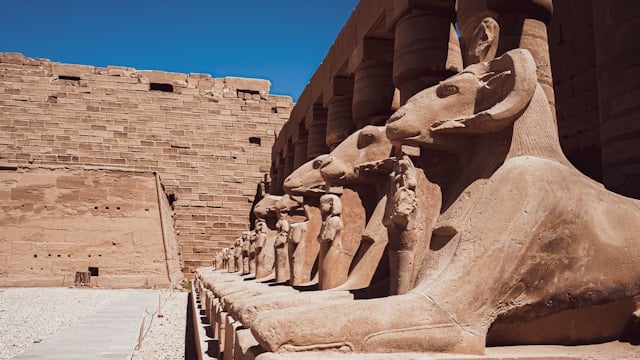
Luxor and Aswan, the heart of pharaonic Egypt, maintain solid 4G coverage throughout urban areas and major temple complexes. Karnak Temple, Valley of the Kings, Philae Temple, and Abu Simbel all showed reliable connection during my visits. The Nile cruise route between these cities occasionally drops to 3G in rural stretches, but service returns quickly as you approach population centers.
Red Sea coastal destinations like Hurghada and Sharm el Sheikh deliver strong network performance in resort areas and diving centers. These cities cater heavily to tourists, so infrastructure prioritizes connectivity. However, some remote dive sites or desert excursions into the Sinai interior may have limited or no coverage. Plan accordingly if booking multi-day desert tours that venture far from coastal towns.
Alexandria and the Mediterranean coast maintain excellent coverage comparable to Cairo. The city’s infrastructure supports consistent 4G across downtown, the Corniche waterfront, and historical sites. Day trips to El Alamein, Rosetta, or Marsa Matruh along the coast stay well-connected, making these destinations easy for travelers who need reliable internet connection.
Rural Areas
The Western Desert presents the most challenging coverage scenario. Oases like Siwa, Bahariya, and Dakhla have coverage in the settlements themselves, but the long drives between them cross areas with no cell service. If you’re planning extensive desert travel, inform companions you’ll be unreachable during transit and download offline resources beforehand.
The Nile Delta region north of Cairo—cities like Tanta, Mansoura, and Zagazig—offers solid coverage despite being less touristy. Business travelers or those visiting relatives in these areas won’t experience connectivity issues. The network infrastructure serves local populations well, and your Egypt eSIM will connect without problems.
For most Egypt itineraries focusing on Cairo, Luxor, Aswan, and either Mediterranean or Red Sea coast, your travel eSIM provides reliable coverage throughout your trip. The Orange network reaches all standard tourist destinations with 4G capability sufficient for navigation, communication, and sharing your experiences. Only extreme adventure travel into remote desert regions will test coverage limits.
Comparing Unlimited vs. Fixed Data Plans for Egypt
The choice between unlimited data plans and fixed gigabyte allocations depends on your usage patterns and risk tolerance. Unlimited plans from providers like Holafly eliminate usage anxiety—you never worry about running out of data or rationing connection for fear of hitting limits. The tradeoff comes in cost, with unlimited options typically priced higher than fixed data plans offering more data than most travelers actually consume.
My experience testing both approaches across Egypt trips revealed that unlimited plans encouraged wasteful behavior. Without usage constraints, I found myself streaming video unnecessarily, downloading large files over cellular instead of waiting for WiFi, and generally being less thoughtful about data consumption. This didn’t enhance my travel experience—it just inflated usage statistics.
What is sufficient amount of data?
Fixed data plans like BazTel’s 10GB or 20GB options encourage smarter consumption while still providing generous allocations. Knowing you have a finite amount of data makes you slightly more conscious of usage without creating stress. You still browse freely, use Google Maps extensively, share photos, and message constantly. You just skip streaming Netflix over cellular when you could download episodes on hotel WiFi instead.
Consider also that some unlimited plans include fair usage policy limitations. After consuming certain thresholds—sometimes as low as 4-5GB in a day—speeds may be temporarily throttled to prevent network abuse. This defeats the “unlimited” promise when you actually need sustained high-speed access. Reading provider terms carefully reveals these limitations that marketing materials often downplay.
For typical Egypt travel lasting 7-14 days with moderate to heavy app usage, 10-15GB handles the vast majority of scenarios comfortably. If you’re working remotely, planning video calls, or spending weeks in Egypt, consider 20GB or multiple top ups rather than paying premium prices for unlimited plans with hidden throttling policies.
The psychological benefit of fixed plans is understanding your consumption patterns. After one trip tracking usage, you know exactly what you need for future travel. Maybe you’re a light user who barely touches 5GB across two weeks. Or perhaps you’re a heavy consumer who needs 20GB minimum. Either way, you’re making informed decisions based on real data rather than paying for unlimited “just to be safe.”
Final Recommendations: Choosing Your Egypt eSIM
For travelers seeking the best value eSIM for Egypt, BazTel offers the most compelling combination of price, coverage, and protective policies. The ability to test with a $3 1GB plan removes risk for first-time eSIM users, while larger plans deliver competitive per-gigabyte pricing on the reliable Orange network. The trip cancellation guarantee and refund policy provide peace of mind that premium providers charge significantly more for or don’t offer at all.
Airalo remains a solid choice for travelers who prioritize brand recognition and have used their service successfully in other countries. Their Egypt eSIM plans work reliably on Orange network, though at higher prices than comparable alternatives. If you’re already familiar with their app and processes, the convenience of staying with a known provider may outweigh the cost difference.
Saily suits users who value integrated security features and don’t mind paying slightly more for additional privacy protection. Their connection through Egypt’s best networks (though not specifically disclosed) delivers reliable performance. The NordVPN affiliation provides credibility around security and privacy concerns that matter to some travelers.
Ultimately it’s your choice
Whatever provider you choose, prioritize these essential factors: transparent network information (Orange or Vodafone in Egypt perform best), clear pricing without hidden fees, responsive customer support, and flexible policies accommodating travel’s inherent unpredictability. Verify eSIM compatibility with your device before purchasing, install your plan before departure, and familiarize yourself with basic troubleshooting steps.
The beauty of eSIM technology is testing different providers risk-free through small initial purchases. Start with BazTel’s $3 plan to verify everything works with your device and travel style. If satisfied, purchase the data plan size matching your estimated needs, knowing 10GB covers most two-week itineraries with room to spare. For extended stays or data-intensive work, the 20GB option or multiple top ups ensure you stay connected throughout your Egypt adventure.
Egypt’s incredible history, from the pyramids at Giza to the temples of Luxor, deserves your full attention rather than worrying about connectivity. Choosing the right Egypt eSIM before departure—one that offers reliable coverage, fair pricing, and supportive policies. This lets you focus on experiencing this remarkable destination rather than managing technical frustrations. Stay connected, share your journey, and explore Egypt with the confidence that your mobile data supports every step of your adventure.

Blog Author
Peter
Peter started BazTel.co to make mobile internet easier for travellers. He noticed how tough it was to find good network options while visiting new countries. That’s when he built BazTel — a place where anyone can buy eSIMs online without confusion or long steps. He believes tech should be simple and useful, not complicated. When he’s free, he likes to travel, test BazTel himself, and keep improving it based on real user problems.