Botswana
 Zambia
 Congo
Congo Colombia
 China mainland
 Chile
Chile Chad
Chad Central African Republic
 Canada
 Cameroon
 Cambodia
 Burkina Faso
 Bulgaria
 Brunei Darussalam
 Brazil
 Aland Islands
 Bosnia and Herzegovina
 Bolivia
 Belgium
 Belarus
 Bangladesh
 Bahrain
 Azerbaijan
 Austria
 Australia
 Armenia
 Argentina
 Algeria

Last summer, I landed in Tokyo for a work conference. Within hours, my phone buzzed with a notification from my carrier: I’d already burned through $47 in data roaming charges just checking emails and using maps to find my hotel. That expensive lesson taught me everything I needed to know about data roaming the hard way.
If you’ve ever traveled abroad or even driven near an international border, understanding what data roaming is could save you from a similar shock. Data roaming allows your mobile device to connect to cellular networks outside your carrier’s coverage area, often by automatically connecting to available partner networks when data roaming is enabled. This keeps you online when you travel beyond your carrier’s coverage area, but while convenient, it often comes with steep charges that catch travelers off guard.
In this guide, I’ll explain how data roaming works, when you should turn data roaming on or off, and how to avoid roaming fees without losing connectivity. Whether you’re planning an overseas trip to other countries or just want to understand your phone’s settings better, this information will help you stay connected without breaking the bank.
Introduction to Data Roaming
Staying connected while traveling has become a necessity for most mobile users, whether it’s for work, navigation, or simply keeping in touch with friends and family. Data roaming is the feature that makes this possible, allowing your mobile device to access mobile data services outside your carrier’s normal coverage area. When you travel to another country, your mobile phone automatically connects to a local network—often called a partner network—thanks to roaming agreements between your service provider and the foreign network operator. This seamless connection lets you use mobile internet, send text messages, and make calls just as you would at home.
However, this convenience comes with a catch: data roaming charges. Roaming fees can be significantly higher than what you pay for data usage in your home country, and they often catch travelers off guard. Each time your phone connects to a foreign network and you access mobile data services, you may be racking up roaming charges that can quickly lead to a hefty phone bill. That’s why understanding how data roaming works and how to manage your data usage is essential before you travel.
Accessing mobile data services while roaming is usually automatic—just turn on your phone in a new country, and it will search for and connect to a local network. From there, you can browse the internet, use apps, and stay in touch. But unless you have a roaming plan or pass from your provider, every megabyte of data can come at a premium. Many providers offer roaming plans or daily passes to help reduce roaming fees, and some even provide unlimited data roaming in multiple countries, making it easier to avoid data roaming charges.
It’s important to note that data roaming isn’t limited to international travel. Domestic roaming can occur when you’re outside your carrier’s network coverage area but still within your home country. In these cases, your phone connects to a partner network, but most service providers include domestic roaming in your regular plan, so you typically won’t see extra roaming charges.
To avoid unexpected charges, there are several strategies you can use. Disabling data roaming on your mobile device will prevent it from connecting to foreign networks automatically. Relying on Wi-Fi hotspots at hotels, airports, and cafes can give you internet access without incurring roaming fees. Purchasing a local SIM card is another cost-effective option, letting you access local data rates and avoid international roaming charges altogether.
For those traveling to multiple countries or looking for a hassle-free solution, data roaming alternatives like eSIMs are becoming increasingly popular. An eSIM is a digital SIM card that you can download directly onto your mobile device, allowing you to access mobile data services in different countries without swapping physical SIM cards. Many providers now offer eSIM plans with transparent pricing and flexible options, making it easier than ever to stay connected on the go.
In short, data roaming is a powerful tool for staying connected while traveling, but it’s crucial to understand how it works and how to manage your data usage. By planning ahead, choosing the right roaming plan or alternative, and keeping an eye on your data consumption, you can enjoy seamless mobile data services wherever you go—without the worry of unexpected charges.
Understanding Data Roaming: The Basics
Data roaming occurs when your phone connects to a carrier’s network operated by providers other than your home carrier. When you leave your network’s coverage area, roaming agreements between carriers allow your device to access mobile data services through partner networks. This keeps you connected for browsing, messaging, and app usage even when traveling.
Think of it like visiting a friend’s house and using their Wi-Fi, except your home carrier pays the friend’s mobile provider for the service and passes that cost to you. Most service providers have roaming agreements with multiple carriers worldwide, ensuring you can stay connected across different countries and regions.
The key difference between regular mobile data and data roaming comes down to location and cost. At home, you use your own network as part of your monthly plan. When roaming, you’re borrowing other networks outside your network’s coverage area, which typically triggers additional charges. The local carrier tracks your usage and reports it back to your home carrier, which then adds the charges to your bill.
How Data Roaming Work Behind the Scenes
When you arrive in a location outside your carrier’s network, your phone automatically searches for available mobile networks and will automatically connect to a compatible local network if data roaming is enabled. Here’s what happens:
Your device detects foreign network signals and identifies compatible partner networks. The carrier’s network authenticates your credentials through your SIM card or eSIM. Once approved, your phone connects to the local network and begins routing data through it. Your home provider tracks every megabyte you use and bills you according to their roaming plan.
When you use international data roaming, a foreign provider grants your device access, tracks your data usage, and sends this information back to your carrier for billing.
This process happens seamlessly in the background. You might notice a small “R” symbol or “roaming” indicator on your phone’s status bar, confirming you’re no longer on your home network. Some modern phones will display the foreign network’s name, giving you a clear signal that roaming charges may apply.
Throughout my travels across Asia and Europe over the past few years, I’ve tested this across multiple carriers including T Mobile, Verizon, and smaller providers. The connection process is usually instant, but the costs vary dramatically depending on where you are and what plan you have.
Domestic Roaming vs. International Roaming
Not all data roaming creates the same financial impact. Understanding the distinction between domestic roaming and international roaming helps you manage your phone bill effectively.
Domestic roaming happens when your phone connects to a different carrier’s network within your home country, outside your mobile network’s coverage area. If you live in California and drive through rural Nevada where your carrier has limited coverage, your device might switch to a partner network. Most major carriers in the United States cover domestic roaming within your standard monthly plan, meaning no unexpected charges appear on your bill.
International roaming activates when you cross national borders, moving outside your carrier’s coverage area. Landing in Paris, Sydney, or Mexico City triggers international roaming as your phone latches onto foreign carriers. To manage this, you can switch roaming on or off in your device settings to control data usage and avoid unexpected charges. This is where costs escalate quickly. Without a roaming plan or alternative solution, you could face charges of $5 to $15 per megabyte in some destinations.

I learned this distinction the hard way when living near the Canadian border in Washington State. My phone would occasionally connect to Canadian towers even though I never crossed the border. Those brief connections generated small international roaming fees until I disabled data roaming in my phone’s settings.
The European Union created “roam like at home” regulations that eliminate roaming charges for EU residents traveling within member countries. These ‘Roam Like Home’ agreements allow EU residents to use their domestic plans across all 27 EU countries at no extra charge until at least 2032. However, these rules don’t apply to visitors from outside the EU, who still face standard international roaming costs when traveling through Europe.
The Costs: What Data Roaming Charges Actually Look Like
Data roaming charges vary wildly depending on your carrier, destination, and whether you have a roaming plan. Let me break down what you might actually pay based on current 2025 rates from major providers.
Without a specific international plan, pay-per-use rates from US carriers typically range from $2 to $10 per megabyte. In some countries, roaming fees can be notoriously high, with a single megabyte of data costing dozens of dollars. Streaming a single song could cost $20 or more. Watching a five-minute video might generate $100 in charges. These rates make casual browsing prohibitively expensive for most travelers.
Major carriers offer daily passes, often called a roaming pass, to make roaming more predictable. Many providers offer a flat fee for daily travel passes to use your home plan’s data allowance abroad, often between $10–$12 per day. T Mobile charges around $5 to $15 per day for their international passes in most countries. Verizon’s TravelPass costs approximately $12 per day, giving you access to your regular plan’s data allowance. AT&T offers similar daily rates starting around $10 per day. These daily fees only apply on days when you actually use data roaming, which helps control costs for longer trips.
Some carriers include international roaming in premium plans. T Mobile’s Magenta MAX plan provides unlimited data roaming in many countries at no extra charge, though speeds may be throttled after certain usage thresholds. However, many carriers impose strict data limits on how much you can use abroad, often far less than what you’re used to at home. These inclusive plans work well for frequent travelers who cross borders regularly.
Beyond cellular data costs, roaming also affects voice calls and text messages. Receiving calls while roaming often incurs charges even if you don’t answer. Making calls can cost $1 to $3 per minute. Text messages might run $0.50 each. These charges add up quickly if you’re not careful about how you communicate while abroad.

My most expensive mistake was leaving automatic downloads enabled while traveling through Southeast Asia. Background app updates, photo backups, and email syncing consumed multiple gigabytes overnight, resulting in a hefty phone bill totaling over $300 for just three days of travel. That experience taught me to disable automatic downloads before every international trip and to always check if I have data roaming turned on or off to avoid unexpected charges.
Mobile Data vs. Data Roaming: Clearing Up the Confusion
Many travelers confuse mobile data with data roaming, leading to unexpected charges or connectivity issues. The distinction is straightforward once you understand where and how each functions.
Mobile data refers to your phone’s ability to access the internet through cellular networks using 3G, 4G, or 5G connections. When you’re within your carrier’s coverage area, mobile data lets you browse websites, check emails, and use apps without Wi-Fi by connecting directly to your carrier’s network. This usage typically falls within your monthly data allowance and doesn’t trigger extra fees as long as you stay within your plan’s limits.
Data roaming specifically describes mobile data usage outside your own network’s coverage area. It requires your carrier to have roaming agreements with foreign networks, allowing your device to access data services through those partner networks. This is when additional roaming fees typically apply.
Here’s the key difference: turning off mobile data completely disables all cellular internet access on your phone, regardless of which network you’re connected to. You won’t be able to use any online services unless you connect to Wi-Fi. Turning off data roaming while keeping mobile data enabled allows your phone to use cellular data on your own network but prevents connections to foreign networks.
This distinction matters when traveling domestically versus internationally. If you’re road-tripping within your country, keeping mobile data on with data roaming off ensures you stay connected through your carrier’s network without risking international charges. When traveling abroad, you might disable both to prevent any cellular usage that could generate unexpected charges.
When to Turn Data Roaming On or Off
The question “Do I want data roaming on or off?” doesn’t have a universal answer. The right choice depends on your location, travel plans, and budget. When you have data roaming turned on, your phone can access mobile data networks abroad, but this can lead to high charges if you’re not careful. Let me walk you through different scenarios based on my own experiences.
If you want to avoid unexpected costs, it’s best to disable data roaming in your phone’s settings. On both iOS and Android devices, you can go into your phone’s settings menu to turn off data roaming. This prevents your device from connecting to foreign networks for data, helping you manage costs effectively. Note that when you turn off data roaming in settings, you can still send and receive basic SMS and make phone calls, but international rates will apply.
Keep Data Roaming Off When:
Traveling internationally without a roaming plan. To avoid surprise charges, you should disable data roaming in your phone’s settings. This prevents your phone from automatically connecting to foreign networks and generating unexpected fees. Turning off data roaming in settings will still allow you to send and receive basic SMS and phone calls, but international rates may apply. You’ll rely on Wi-Fi hotspots at hotels, cafes, and airports for internet access.
Living or working near international borders. Your phone might connect to towers across the border even when you haven’t crossed it. This happened to me regularly in San Diego, where my device would latch onto Mexican cell towers and trigger international fees despite my being firmly on US soil.
Not actively traveling. There’s no downside to keeping data roaming off in your daily routine within your home country. Most carriers handle domestic coverage through your standard plan without needing the roaming feature enabled.
Turn Data Roaming On When:
You have an international roaming plan or daily pass. If you’ve purchased a travel package from your carrier like T Mobile’s international plan or Verizon’s TravelPass, having data roaming turned on lets you access those services you’ve already paid for.
Emergency situations require connectivity. Sometimes you need immediate access to navigation, translation apps, or communication tools and can’t find Wi-Fi. Temporary roaming use for critical needs justifies the cost, especially in unfamiliar or urgent situations.
Using an eSIM or local SIM card. If you’ve installed a travel eSIM or purchased a local sim card at your destination, you’ll need data roaming turned on to access that network’s data services. These alternatives bypass expensive carrier roaming fees while still requiring the roaming setting turned on.
Traveling within regions with included roaming. European Union residents traveling within the EU can leave roaming on without concern thanks to “roam like at home” policies. Similarly, North American plans that include Canada and Mexico coverage work seamlessly with roaming enabled.
What Happens If I Turn On Roaming Data?
When data roaming is turned on, your phone’s ability to connect to networks outside your carrier’s coverage area is activated. With data roaming turned on while abroad, your device will automatically connect to available partner networks without user intervention, which can lead to potential charges.
Once connected, your phone functions normally for most purposes. You can browse the internet, send messages through apps, stream content, and use navigation services. The user experience feels identical to being on your home network, which is precisely what makes roaming charges so dangerous. Nothing in the interface warns you that each megabyte costs significantly more than usual.
Background processes continue running when data roaming is active. Email clients check for new messages, apps refresh their content, cloud services sync photos, and system updates may download automatically. These invisible data consumers can burn through hundreds of megabytes without any obvious activity on your screen.
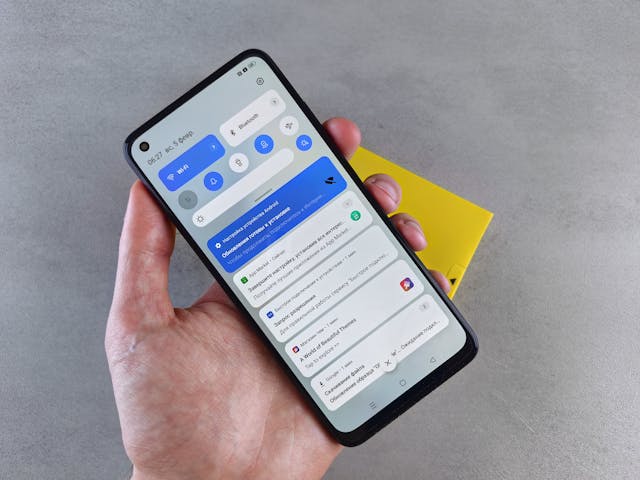
Your phone bill reflects roaming usage based on your carrier’s specific policies. Some providers bill daily, charging a flat rate for each 24-hour period you use roaming services. Others bill per megabyte, tallying up your total data consumption and applying their international rates. Bills typically arrive one to two months after your travel, sometimes creating a delayed shock when you see the charges.
How to Turn Off Data Roaming on Your Phone
Disabling data roaming takes just a few taps but varies slightly between iPhone and Android devices. You can easily switch roaming on or off by navigating through your phone’s settings. Here are the step-by-step instructions I use before every international trip.
To turn off data roaming on an iPhone, go to Settings > Cellular > Cellular Data Options and toggle Data Roaming off.
iPhone Users:
Open the Settings app from your home screen. Scroll down and tap “Cellular” or “Mobile Data” depending on your region. Select “Cellular Data Options” or “Mobile Data Options.” You’ll see a toggle labeled “Data Roaming.” Tap the switch to turn it off. The toggle should turn gray, indicating data roaming is now disabled.
For additional protection, you can also tap “Cellular Data” at the top level and toggle that off entirely. This prevents all cellular data usage, forcing your phone to rely solely on Wi-Fi connections. I do this in airplane mode as an extra safeguard.
Android Device Users:
Start in your phone’s settings by tapping the gear icon. Look for “Connections,” “Network & Internet,” or “Wireless & Networks” depending on your Android version and manufacturer. Tap “Mobile Networks” or “Cellular Networks.” Find the “Data Roaming” switch and toggle it off. On some devices, you’ll see separate options for “Data Roaming Access” or specific SIM card settings if you have multiple SIMs installed.
Samsung phones place these settings under “Connections > Mobile Networks > Data Roaming.” Google Pixel devices list them under “Network & Internet > Mobile Network > Roaming.” The exact path varies by manufacturer, but the core process remains consistent across Android platforms.
After turning off roaming, verify the change by looking at your phone’s status bar. The roaming indicator should disappear, confirming your device won’t connect to foreign networks. I always check this before takeoff and again after landing to ensure the settings didn’t reset during flight.
Alternatives to Avoid Data Roaming Charges
Rather than paying premium roaming fees, several smarter alternatives let you stay connected while traveling. I’ve used all of these methods across multiple countries over the past few years, each with distinct advantages.
Travel eSIM Services
An eSIM is a digital SIM card embedded in your phone that activates instantly without physical installation. Services like BazTel, Airalo, Saily, Holafly, and Nomad offer prepaid eSIM plans for specific countries or regions at local rates. You purchase the plan through an app, install the eSIM profile on your device, and activate it when you land.
eSIM prices typically range from $5 to $30 for one to two weeks of data, dramatically cheaper than traditional roaming. Many plans include unlimited data or substantial allowances, with clear data limits such as 5GB, 25GB, or 50GB, giving travelers and digital nomads flexibility and affordability compared to what carriers offer in their daily passes. I used a BazTel eSIM during a month-long trip through Japan and paid just $29 for 50GB, compared to the $360 my carrier would have charged for their daily pass.

Most phones manufactured after 2018 support eSIM technology, including recent iPhones, Samsung Galaxy models, and Google Pixels. You’ll need to verify your device compatibility before purchasing an eSIM plan, which you can check in your phone’s settings or through the eSIM provider’s app.
Local SIM Cards
Purchasing a local sim at your destination gives you a native phone number and access data services at resident rates. Airports, convenience stores, and carrier shops sell prepaid SIM cards that you can install in your phone immediately. Plans often include generous data allowances, local calling, and text messages for affordable prices.
This option works best for longer stays in a single country. The effort of finding a shop, choosing a plan, and physically swapping SIM cards makes it less convenient for quick trips or multi-country itineraries. You’ll also need an unlocked phone, as carrier-locked devices won’t accept foreign SIM cards.
During a three-month stint working remotely from Thailand, I bought a local SIM from AIS that provided 100GB of data for roughly $15 per month. That same amount of roaming data from my US carrier would have cost thousands of dollars.
Wi-Fi Hotspots and Offline Preparation
Wi-Fi remains the simplest way to avoid roaming charges entirely. Most hotels, restaurants, cafes, and public spaces offer free Wi-Fi access. By planning your connectivity around Wi-Fi availability and disabling cellular data completely, you eliminate any risk of unexpected charges.
Before traveling, download offline maps through Google Maps or similar apps. Save important documents, boarding passes, and hotel confirmations to your device. Download entertainment content like podcasts, music, and videos for offline access during transit. Prepare everything you might need so you can operate effectively between Wi-Fi connections.
I use airplane mode with Wi-Fi enabled as my default setting when traveling internationally. This configuration keeps my phone from searching for cellular networks while still allowing Wi-Fi connections. When I need to make calls, apps like WhatsApp, Skype, and FaceTime work perfectly over Wi-Fi connections without any cellular usage.
Portable Wi-Fi Hotspots
Some travelers rent or purchase portable hotspot devices that create personal Wi-Fi networks using local data plans. These pocket-sized routers connect to cellular networks and share that connection with your phone, laptop, and other devices simultaneously. Companies like Skyroam and Tep Wireless offer rental options for international travelers.
Portable hotspots work well for groups traveling together who can split the cost and share the connection. They’re particularly useful for business travelers who need reliable connectivity across multiple devices throughout their trip.
Carrier Roaming Plans
If alternatives don’t fit your situation, at least purchase a roaming pass or roaming plan from your carrier before departing. T Mobile’s international plans, Verizon’s TravelPass, and AT&T’s international options provide predictable daily or monthly rates instead of scary per-megabyte charges. While not the cheapest option, a roaming pass offers convenience for short trips without the hassle of installing eSIMs or buying local SIMs.
Contact your service provider before leaving and ask about their international options. Some carriers offer one-time roaming passes for specific countries, while others provide recurring monthly add-ons better suited for frequent travelers.
Avoiding Hidden Data Consumption While Roaming
Even with roaming disabled or a good plan in place, hidden data consumption can inflate your costs. These background processes often catch travelers by surprise, generating charges they never intended—especially if you exceed your data limits, which can result in extra fees.
Automatic downloads pose the biggest threat. Your phone may download app updates, system upgrades, and media files without prompting when connected to cellular networks. Navigate to your settings app and disable automatic downloads for apps, music, podcasts, and system updates before traveling. Enabling ‘Low Data Mode’ on modern devices also pauses automatic updates and background tasks to help preserve data while abroad.
Background app refresh allows apps to update their content even when you’re not actively using them. Social media apps, news readers, and email clients constantly pull new data in the background. Disable this feature for all non-essential apps through your iPhone’s settings under “General” or Android’s battery optimization features. Many apps also offer their own low-data modes, which restrict certain functions to minimize data consumption while roaming.
Cloud photo backups can consume gigabytes of data if you’re actively taking pictures during your trip. Services like Google Photos, iCloud, and Amazon Photos automatically upload new images when connected to data networks. Set these services to Wi-Fi only or disable uploads entirely during international travel.
Streaming services often auto-play videos and music when you open their apps. Disable auto-play in Netflix, YouTube, Spotify, and similar platforms. Better yet, download content to your device before traveling so you can enjoy entertainment offline without consuming any data.
Email accounts continuously check for new messages, downloading attachments and fetching updates throughout the day. Switch to manual email fetching or extend the check interval to reduce background data usage. I typically set my email to manual mode when traveling, checking it only when connected to Wi-Fi.
Special Considerations for Business Travelers
Business travel creates unique challenges for managing data roaming. You need reliable connectivity for meetings, presentations, and client communications, but expense policies may not cover excessive roaming charges. Here’s what I’ve learned handling this balance across numerous work trips.
Plan ahead with your IT department or mobile administrator. Many companies negotiate corporate plans with carriers that include better international rates or bulk roaming passes. Your company may already have solutions in place that you’re not aware of.
Document your roaming needs before the trip. If your employer doesn’t cover international data, make the business case for why connectivity matters. The cost of a roaming plan or eSIM usually pales in comparison to the productivity lost without reliable internet access.
Use dual SIM capabilities if your phone supports them. Install a travel eSIM in the second slot while keeping your primary business number active. This lets you maintain your regular number for calls and verification codes while using the eSIM for data at local rates.
Leverage hotel Wi-Fi for heavy data tasks. Download large files, join video conferences, and handle bandwidth-intensive work from your hotel room rather than relying on cellular connections. Save mobile data for essential use between Wi-Fi locations.
Future of Data Roaming: eSIM and 5G
The telecom industry is rapidly evolving toward more flexible, digital-first connectivity solutions. Understanding these trends helps you prepare for how data roaming will change in coming years.
eSIM technology is becoming standard across new smartphones and tablets. Apple removed the physical SIM card tray from iPhone 14 models in the United States, forcing users toward eSIM-only operation. This shift makes instant activation of local network plans the norm rather than the exception, and features like WiFi calling have become increasingly important for international travelers.
More carriers now support eSIM profiles for international travel, reducing the reliance on traditional roaming partnerships. You can switch between carriers and countries as easily as tapping a button in your settings. This flexibility gives travelers unprecedented control over their connectivity costs.
5G network expansion continues globally, bringing faster speeds to more destinations. While this enhances the user experience, 5G data consumption often exceeds 4G due to higher quality streaming and faster download speeds. The same activities that consumed megabytes on 4G might consume gigabytes on 5G, making cost management even more critical.
Some providers experiment with flat-rate global data plans that eliminate roaming charges entirely. These unlimited international plans cost more monthly but remove the anxiety of per-megabyte charges or daily passes. Early examples include Google Fi’s Simply Unlimited plan and some premium T Mobile offerings.
As these technologies mature, traditional roaming charges may eventually become obsolete, replaced by more transparent and affordable global connectivity. Until then, understanding how to manage data roaming remains essential for any traveler.
Final Recommendations
Data roaming doesn’t have to mean financial disaster or staying disconnected. With proper planning and the right settings, you can stay connected affordably no matter where you travel.
Always turn data roaming off when traveling internationally unless you have a specific roaming plan in place. This single setting prevents the majority of bill shock scenarios I’ve witnessed over the years.
Research connectivity options before departing, not after landing. Take fifteen minutes to compare eSIM providers, check your carrier’s international rates, and identify where you’ll find Wi-Fi at your destination. This advance preparation saves both money and stress during your trip.
Monitor your data usage actively when relying on cellular connections abroad. Most phones show data consumption in their settings, and many eSIM apps provide real-time usage tracking. Staying aware of how much data you’re consuming prevents surprises.
Combine multiple strategies for optimal results. I typically use Wi-Fi when available, rely on an eSIM for data between Wi-Fi locations, and keep offline maps and downloaded content as backup options. This layered approach ensures I stay connected while minimizing costs.
Remember that staying connected matters, but staying connected affordably matters more. The convenience of automatic roaming rarely justifies its premium cost when better alternatives exist. Take control of your mobile device settings, plan ahead, and travel confidently knowing you won’t face unexpected charges when you return home.

Blog Author
Peter
Peter started BazTel.co to make mobile internet easier for travellers. He noticed how tough it was to find good network options while visiting new countries. That’s when he built BazTel — a place where anyone can buy eSIMs online without confusion or long steps. He believes tech should be simple and useful, not complicated. When he’s free, he likes to travel, test BazTel himself, and keep improving it based on real user problems.