
 Botswana
 Zambia
 Congo
Congo Colombia
 China mainland
 Chile
Chile Chad
Chad Central African Republic
 Canada
 Cameroon
 Cambodia
 Burkina Faso
 Bulgaria
 Brunei Darussalam
 Brazil
 Aland Islands
 Bosnia and Herzegovina
 Bolivia
 Belgium
 Belarus
 Bangladesh
 Bahrain
 Azerbaijan
 Austria
 Australia
 Armenia
 Argentina
 Algeria

Switching between different eSIM plans on your phone isn’t just for tech geeks or frequent flyers. It’s becoming a day-to-day feature for anyone who wants better control over mobile data, call rates, and coverage. But before we jump into the how-to, let’s start with the basics.
First, what is an eSIM? It’s a small, built-in digital SIM that replaces the traditional physical card. Instead of swapping SIM cards, you can activate new plans with just a QR code or an app. This makes it easy to switch between personal and work numbers, grab local plans when traveling, or test out new carriers for better deals. eSIM functionality also allows for dual SIM functionality on many modern smartphones, enabling users to manage multiple lines or plans easily.
Using multiple eSIMs means no more carrying two phones or worrying about SIM ejector tools. And if your phone supports it, you can store several plans at once and switch them as needed. However, not all devices are eSIM compatible, so users should check if their device is an eSIM compatible device before proceeding. eSIMs are especially useful for international travel, as they help avoid data roaming charges and provide seamless connectivity abroad.
In this blog, we’ll cover everything—from setup to switching on both iPhone and Android. We’ll also walk through advanced tips, troubleshooting, and when to get your carrier involved.
Introduction to eSIM
eSIM (embedded SIM) technology is transforming the way we connect to mobile networks. Unlike a traditional physical SIM card, an eSIM is a digital version built directly into your device’s hardware. This embedded SIM allows you to store multiple eSIM profiles on a single phone, making it easy to manage several cellular plans without ever swapping out a physical SIM. With eSIM technology, you can add, remove, or switch between different plans with just a few taps—no more fumbling with tiny SIM cards or worrying about losing them.
The ability to manage multiple eSIM profiles is a game-changer for anyone who needs flexible mobile connectivity. Whether you’re a frequent traveler who wants to take advantage of local data rates, a professional juggling work and personal numbers, or simply someone who likes to optimize data usage, eSIM technology puts you in control. You can store multiple eSIMs on your device, label them for easy identification, and switch between them as your needs change. This digital approach to SIM management not only streamlines your experience but also opens up new possibilities for how you use your phone across different regions and networks.
Before You Start: Prerequisites
Before diving into the eSIM switching process, it’s important to ensure a few key things are in place. Not every phone or network supports seamless switching, and being prepared can save time and avoid issues. Start by checking if your device can handle multiple eSIMs. To verify eSIM support, check if your phone supports eSIM by looking in your device settings for an EID or consulting the manufacturer’s documentation.
Popular eSIM compatible devices include recent iPhones, Samsung Galaxy models, and Google Pixel phones, all of which can store multiple eSIM profiles and allow easy switching between networks.
Make sure your internet connection is active for the installation and switching process, and have your new eSIM details ready—either via QR code or carrier app. These steps are your groundwork for a smooth setup. Managing multiple eSIMs is straightforward on supported devices, but always confirm compatibility first. To check if your device supports eSIM technology, look for an EID in your device’s settings or refer to the manufacturer’s documentation.
Phone Compatibility
To utilize an eSIM, your phone must have eSIM capabilities, and it should support multiple eSIM profiles. Most modern smartphones can store multiple eSIM profiles, typically between five to eight, but only one or two eSIM profiles can be active at the same time.
Device-specific limits vary: iPhone 12, 13, and 14 can store up to eight eSIM profiles and support two active eSIMs simultaneously. iPhones typically allow up to 8 eSIM profiles stored, while Android devices can store up to 7, depending on the model. Google Pixel devices typically allow users to store four to five eSIM profiles, with only one eSIM active at a time alongside a physical SIM card, and the primary eSIM can be selected as needed. Samsung Galaxy smartphones support dual active eSIMs in newer models, allowing two eSIM profiles to operate simultaneously. Newer smartphones, like iPhone 13+ and Pixel 7+, can often support two active eSIMs simultaneously.
Quick Hint
Some devices allow an active eSIM alongside a physical SIM, providing additional flexibility for managing both a physical SIM and eSIM at the same time. On some older models, only one active eSIM is supported at a time, and only one eSIM can be active, even if multiple profiles are stored. The concept of dual active eSIMs and two active eSIMs is especially useful for users who need to manage multiple lines or plans simultaneously, such as for travel or separating work and personal numbers.
Many recent, modern smartphones like iPhones (e.g., iPhone XS and newer), and many newer flagship Android models are capable of being “dual SIM”. That being said, not all models allow the use of more than one eSIM at a time. To avoid confusion, you should always consult the technical specifications of your phone before attempting to switch between plans to make sure your phone allows for multiple eSIM plans, how many eSIM profiles can be stored, and how many eSIMs can be active on your specific device.
Active Internet Connection
A stable internet connection is crucial when managing eSIMs. Whether you’re installing a new plan or switching between existing ones, the process requires a short connection to carrier servers. Wi-Fi is preferred during setup, especially when adding a new plan. Cellular data can also work, but may be limited if the current plan is inactive or has expired.
Having the eSIM Plans Ready
Before you begin, gather all the eSIM plans you plan to use. These can be provided via QR codes from your mobile carrier or installed through their official apps. Make sure these QR codes are not blurry or expired. If you’ve received the eSIM digitally via email, ensure you’ve saved a copy offline for easy access during installation.
How eSIM Switching Works (The Big Picture)
Switching between eSIM plans means toggling between saved profiles on your phone. You don’t need to delete a plan to activate another. Instead, you can keep several stored and choose the one you want to use for data, calls, or messages. Managing multiple profiles is straightforward and allows you to optimize your mobile plan for different needs, such as travel, work, or personal use.
Switching eSIM profiles allows you to access local data rates, ensuring cost-effective and reliable internet access as you move from country to country. eSIM data plans and regional eSIM plans are especially useful for international travelers, as they help avoid inflated international charges and provide affordable data plans tailored to your destination. Using local data via an eSIM is often far cheaper than roaming, and eSIMs allow travelers to maintain access to their home number while using local data rates abroad.
For example, you can use a Spain eSIM when traveling in Spain to benefit from local rates and easy switching. eSIM data is available in a variety of prepaid data plans, which can be tailored to your travel or usage needs. Understanding how the system works helps you avoid confusion or accidental plan deletion.
Installing vs. Activating vs. Switching
Installing an eSIMs means adding the plan to your phone, usually through a QR code or an app. Activating means enabling that plan for use. Switching is simply turning off the current eSIM and enabling another from the list you’ve already installed. These are three different steps, and knowing the difference helps avoid unnecessary errors. Once installed, most eSIMs stay on your phone even if not active.
Managing Multiple Installed eSIM Profiles
Most modern smartphones let you install several eSIM profiles, though you can only activate one or two at a time. You can label them as “Work,” “Travel,” or “Personal” for easier tracking. Managing multiple eSIMs and managing multiple profiles is made easy through your device’s eSIM management interface, which allows you to add, store, activate, and maintain several profiles for travel or domestic use. This helps avoid accidentally using the wrong plan, especially if one has roaming charges or limited data. The management area is where you turn them on or off and set priorities.
Setting the Default Line for Data/Calls
You can pick which eSIM plan to use for mobile data, voice calls, and texts. Your phone will continue using that plan unless you manually switch it. This setting is especially useful if you have one plan for cheap calls and another for high-speed data. When switching to a travel eSIM for data, make sure your primary eSIM (or primary line) remains on for calls or SMS, but has Data Roaming turned off to avoid extra charges. Also, ensure ‘Allow Cellular Data Switching’ is disabled to prevent your phone from automatically using your home plan if the travel signal weakens. Changing your default line only takes a few taps and can be adjusted anytime.
How to Buy and Install a Travel eSIM
Getting started with a travel eSIM is easier than ever, thanks to the growing number of providers and the straightforward installation process. To buy a travel eSIM, simply choose a provider—such as Nomad eSIM or another reputable service—and select the plan that fits your needs. After purchase, you’ll receive a QR code or a download link for your eSIM profile. Most Android devices and iPhones that support eSIM technology make it simple to add this new plan: just open your device settings, navigate to the cellular or mobile data section, and scan the QR code or enter the details provided by your service provider.
Once installed, your travel eSIM profile will appear alongside any other eSIM profiles you have on your device. You can manage all your eSIM plans directly from your device settings, making it easy to switch between local eSIMs, international plans, or your primary line. This flexibility is especially valuable when traveling abroad, as you can quickly activate a local eSIM to access affordable data and stay connected without the hassle of swapping physical SIM cards.
By storing multiple eSIM profiles, you’re always ready to switch plans and manage your data usage efficiently, ensuring seamless connectivity wherever you go. Always check your device’s compatibility with eSIM technology before purchasing, so you can take full advantage of this modern approach to mobile connectivity. If you’re changing devices, learn how to transfer an eSIM from one Android phone to another to maintain a smooth connection.
Switching eSIM Plans on iPhone (iOS)
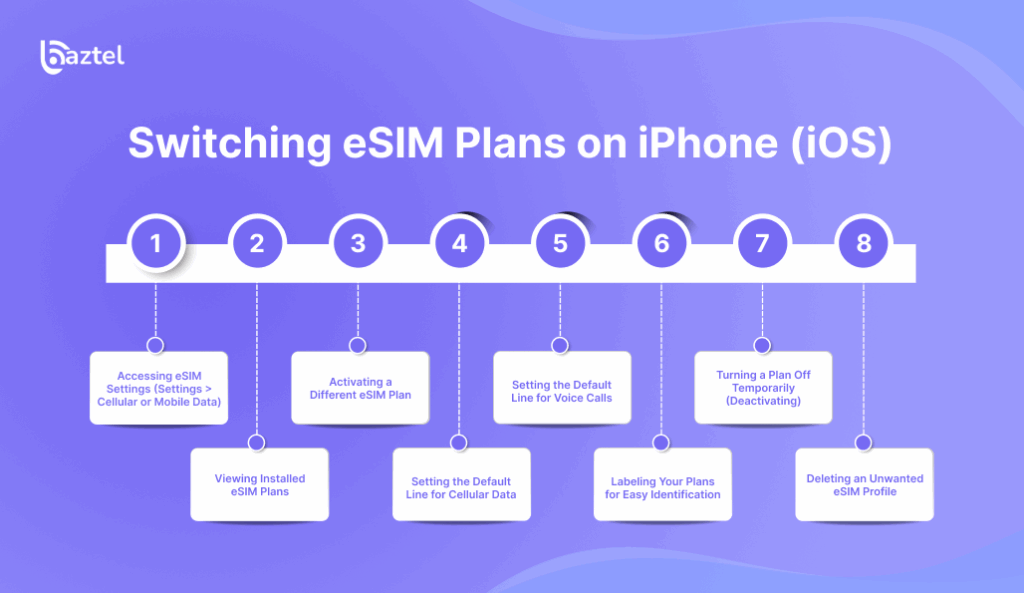
iPhones make eSIM switching easy. Apple’s system is designed to manage multiple plans in a user-friendly way. You can have multiple eSIMs saved, and choose to activate whichever one you wish. All of this is done from within the Settings app of your phone, and there’s no extra software needed. Whether you’re switching between a work and personal phone number, or you’ve purchased a travel plan, the process is seamless and secure.
- Accessing eSIM Settings (Settings > Cellular or Mobile Data)
To start, open the Settings app and tap on Cellular or Mobile Data. This is your hub for all SIM-related settings. Here, you’ll see a list of available plans and options to manage them. If you’ve never used eSIMs before, you’ll also find the option to add a new one.
- Viewing Installed eSIM Plans
Under Cellular settings, your installed eSIMs will appear as individual profiles. You would see names, labels, and the current status of those plans (active or inactive). You could tap on any of them, and you would see additional details, and you would also have the ability to change any of them. It will also be helpful in renaming them based on their purpose.
- Activating a Different eSIM Plan
To activate a new plan, simply tap on it and toggle the switch to enable it. The phone may take a few seconds to connect. The currently active plan will automatically deactivate, depending on how many your device supports simultaneously.
- Setting the Default Line for Cellular Data
Scroll to the Cellular Data section. Tap and choose the eSIM profile you want to use for data. This will be your main internet connection until you switch again. Make sure the selected plan has enough data allowance.
- Setting the Default Line for Voice Calls
Under the setting Default Voice Line, you can choose which plan to be used for outgoing calls. If at any point you keep switching plans, this could be a helpful functionality to avoid any out of plan charges.
- Labeling Your Plans for Easy Identification
Tap on each plan and assign labels like “Personal,” “Work,” or “UK Travel.” These names show up across your call and message screens, so it’s easier to know which plan is in use.
- Turning a Plan Off Temporarily (Deactivating)
If you don’t want to use a plan right now but want to keep it saved, you can deactivate it. This turns off the connection without deleting the plan from your phone.
- Deleting an Unwanted eSIM Profile
Go to the bottom of the profile settings and tap “Remove Cellular Plan.” Only do this if you’re sure you won’t need it again, as reinstalling may require a new QR code from your carrier.
Switching eSIM Plans on Android
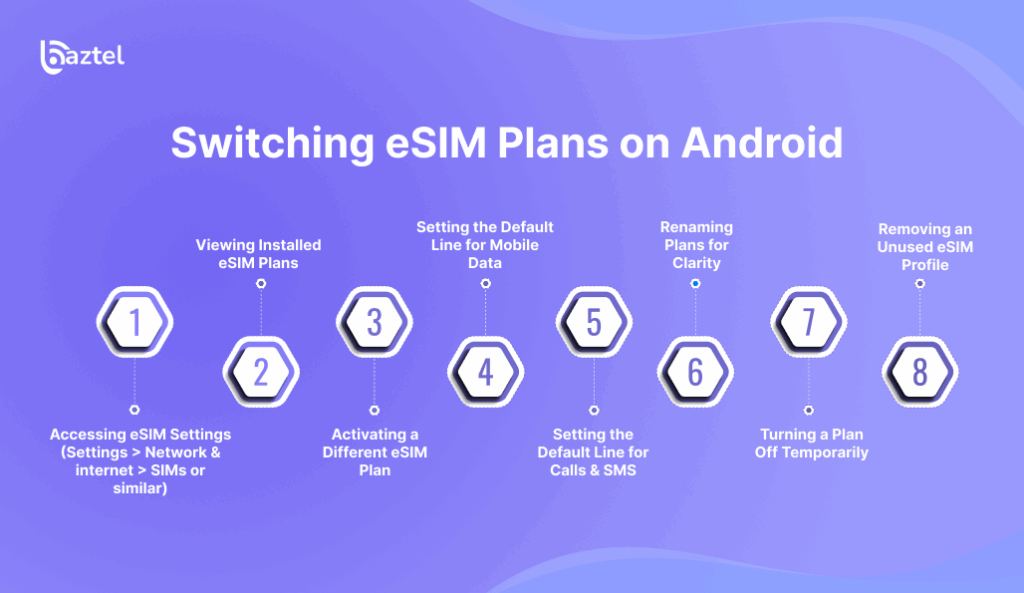
Android phones also support multiple eSIMs, but the steps can vary slightly between manufacturers. Most phones follow the same process—using the Network & Internet section in Settings. You’ll be able to activate, rename, or delete plans, and pick which one handles your data, calls, and texts.
- Accessing eSIM Settings (Settings > Network & internet > SIMs or similar)
Open Settings and go to Network & Internet. Look for a section named SIMs or Mobile Network. This is where all eSIM-related controls are located.
- Viewing Installed eSIM Plans
You’ll find a list of all added eSIMs. Each profile will show a label, status, and network details. You can select any plan to make changes or switch connections.
- Activating a Different eSIM Plan
Tap on the eSIM profile you want to use and enable it. Your phone might take a moment to reconnect. Some phones can keep two eSIMs active, while others allow only one.
- Setting the Default Line for Mobile Data
Go to Mobile Data preferences and pick which plan should be used for internet browsing, app usage, and downloads. Make sure the chosen plan has enough data balance.
- Setting the Default Line for Calls & SMS
Choose the SIM to be used for making calls and sending texts. You can also set one plan as default and manually select the other when needed.
- Renaming Plans for Clarity
To avoid confusion, assign custom names like “Office,” “Holiday,” or “Budget.” This is useful when you have several plans saved and don’t want to mix them up.
- Turning a Plan Off Temporarily
Disable any eSIM you’re not currently using. This stops network activity without erasing your settings. It’s helpful if you want to pause a plan during off months.
- Removing an Unused eSIM Profile
If you don’t plan to use a profile again, scroll to the plan settings and tap “Delete” or “Remove.” You’ll lose access to that number unless you reinstall it with a fresh QR code.
Managing Multiple Plans Effectively

Managing several eSIMs is all about staying organized and knowing when to use which plan. Whether for budgeting or separating work and personal life, it helps to clearly label and prioritize your SIM usage. Dual SIM features let you use one number for calls and another for data. You can even monitor which apps use which SIM for more control.
- Best Practices for Naming/Labeling Plans
Keep plan names simple and functional. Use terms like “US Data,” “Travel Japan,” or “Main Line.” Clearly labeling your mobile plan and data plans helps optimize usage and avoid confusion. Avoid confusing names or duplicates, as these make it harder to track usage.
- Using Dual SIM Features (iPhone & Android)
Most modern phones allow you to run two lines at once, thanks to dual SIM functionality. This allows you to manage multiple plans for calls and data simultaneously. This is useful for receiving work calls while traveling with a local data plan. You can even assign contacts to always use a specific SIM.
- Choosing Which Plan to Use for Data, Calls, and SMS
Split services across different SIMs to optimize cost and performance. Use a cheap data plan for streaming and another plan for better call clarity. Your phone settings allow you to control this precisely.
- Understanding Data Switching Behavior
Phones handle data switching differently. Some might auto-switch when one network is weak. Others need manual input. Understand your device’s behavior to avoid accidental charges or outages.
It is advisable to purchase and install your destination eSIMs before your trip to avoid issues with connectivity.s.
Troubleshooting Common Switching Issues

If switching between eSIMs doesn’t work as expected, there are ways to troubleshoot. Most problems are temporary and can be fixed with a restart or settings tweak. If issues persist, it’s best to contact your carrier.
- “No Service” or Signal Problems After Switching
This can happen if the eSIM wasn’t activated properly. Restart your phone or toggle airplane mode. If it still doesn’t work, recheck the plan’s activation status.
- Plan Doesn’t Appear in Settings
Sometimes the plan installation fails. Go back and re-scan the QR code or reinstall through your carrier’s app. Make sure your internet is stable during setup.
- Can’t Activate the Desired Plan
You might have reached the activation limit or the plan is linked to another phone. Contact the carrier for a fresh QR code or unlock procedure.
- Data Not Working on the Newly Activated Plan
Double-check that mobile data is turned on for the selected eSIM. Also confirm if the APN settings were set automatically. If not, you might need to enter them manually.
- Error Messages During Activation/Switching
These errors are usually network-related. Try again in a few minutes or restart your device. Persistent errors may need support from your carrier.
Important Considerations
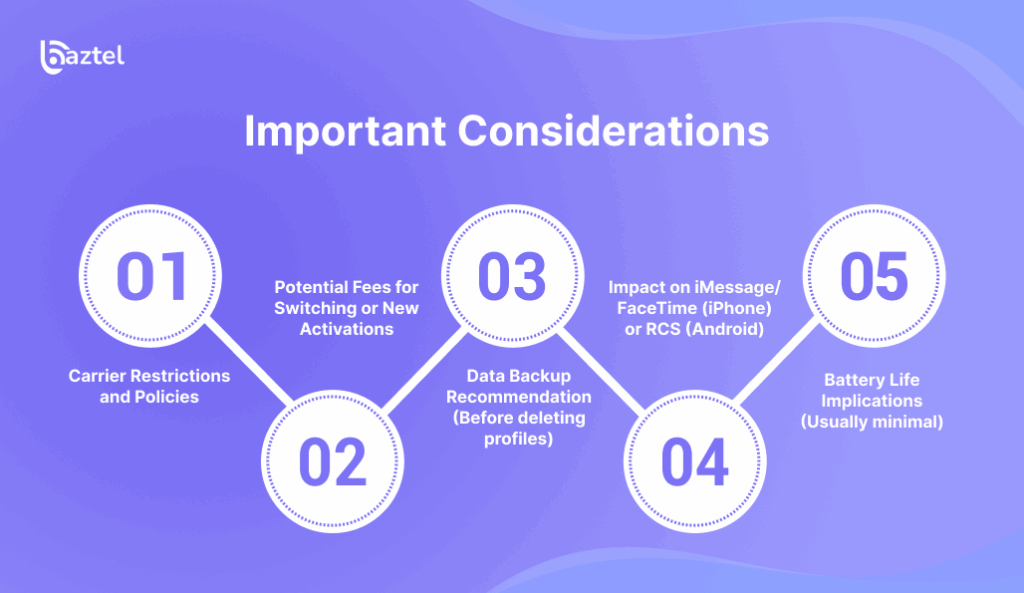
There are a few things you should always consider when working with eSIMs. These include fees, device limits, and how changes affect other services like messaging apps. Knowing these ahead of time can prevent unwanted surprises.
- Carrier Restrictions and Policies
Some carriers limit how often you can switch plans or use the same eSIM on multiple devices. Always read the fine print or ask customer support.
- Potential Fees for Switching or New Activations
Carriers may charge small fees for eSIM setup or number porting. International eSIMs might also include roaming fees, so check plan details. Enabling data roaming on the wrong plan or not selecting the right data plan for your eSIM profile can result in unexpected charges, so always double-check your settings before traveling.
- Data Backup Recommendation (Before deleting profiles)
If your contacts or messages are tied to an eSIM profile, back them up before deleting. Losing a profile might also mean losing SMS history linked to that number.
- Impact on iMessage/FaceTime (iPhone) or RCS (Android)
When you switch eSIMs, iMessage or RCS might take a few minutes to sync. You may need to re-enable them in the settings.
- Battery Life Implications (Usually minimal)
Running two eSIMs slightly increases battery usage, but it’s usually negligible. Turning off one plan when not in use can help conserve power.
When to Contact Your Carrier
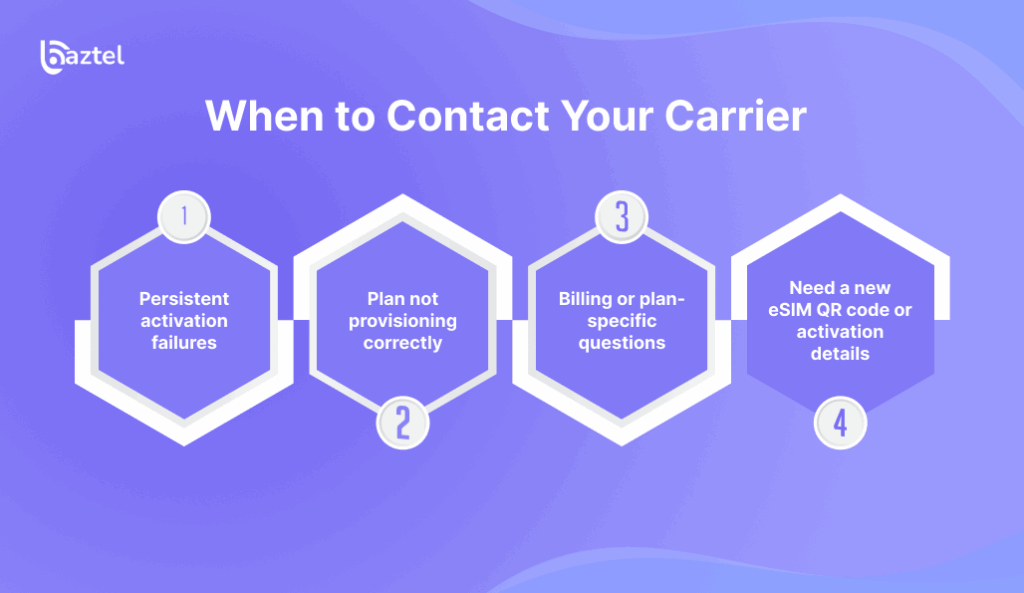
Sometimes, you’ll hit a wall that only your carrier can fix. If a plan doesn’t activate, errors persist, or billing is off, their support is your best option.
- Persistent activation failures
If your eSIM still doesn’t activate after multiple attempts, your carrier might need to refresh the profile or reissue credentials.
- Plan not provisioning correctly
This means your phone is registered with the carrier, but the network won’t let it connect. Ask your carrier to manually push the settings again.
- Billing or plan-specific questions
Not sure about your usage limits or billing cycle? Carriers have access to your plan details and can clarify or update things for you.
- Need a new eSIM QR code or activation details
Some QR codes can only be used once. If you delete a profile, you might need a fresh code from your provider to reinstall it.
Advanced Tips
If you’ve mastered the basics, you can explore advanced controls to make your eSIM experience even better. These tips help you automate, transfer, or fine-tune your settings.
- Using Carrier Apps for eSIM Management
Most big carriers have apps that let you manage your plans—pause, switch, top up, or track usage. This can make switching faster than doing it manually.
- Transferring eSIMs Between Phones (iOS & Android)
Some phones allow eSIM transfer via Bluetooth or iCloud/Google backups. However, not all carriers or devices offer eSIM support for transfers, so always check both your device and carrier compatibility before moving your eSIM.
- Finding Detailed eSIM Settings (Network Selection, APN)
Go into advanced SIM settings to manually select networks or input APN details. This is useful when traveling or using international eSIMs.
Conclusion
eSIMs have changed how we use mobile networks. Whether you’re managing multiple lines, separating work from personal life, or just looking for cheaper data while traveling—eSIM switching puts you in control. Unlike physical SIMs, you don’t need to carry tiny tools or worry about losing your SIM tray. Just a few taps, and your phone is connected to a whole new plan.
From checking compatibility to setting defaults and troubleshooting, each step has been designed to give you more freedom and fewer headaches. With a little preparation and practice, switching between eSIMs becomes second nature. And once you get the hang of it, you’ll never want to go back to the old way. This flexibility isn’t just a nice-to-have feature—it’s a smarter way to stay connected in today’s mobile-first world.

Blog Author
Peter
I'm Peter, the founder of BazTel. I built this company at the intersection of two things I know well: finance and travel. Before starting BazTel, I worked in investment analytics at State Street, one of the world's largest custodian banks, and later at TCorp, the New South Wales Government's investment…


