Botswana
 Zambia
 Congo
Congo Colombia
 China mainland
 Chile
Chile Chad
Chad Central African Republic
 Canada
 Cameroon
 Cambodia
 Burkina Faso
 Bulgaria
 Brunei Darussalam
 Brazil
 Aland Islands
 Bosnia and Herzegovina
 Bolivia
 Belgium
 Belarus
 Bangladesh
 Bahrain
 Azerbaijan
 Austria
 Australia
 Armenia
 Argentina
 Algeria

This guide is for iPhone users, travelers, and anyone interested in the benefits of eSIM on the iPhone 17. As Apple moves to eSIM-only devices, understanding these benefits is crucial for users worldwide. In this article, we will cover what eSIM is, how it works on iPhone 17, its pros and cons, and how to activate it. We’ll also explore why the iPhone 17 eSIM benefits matter, especially as seamless and instant connectivity becomes the new standard for mobile users.
If you’re searching for the advantages of eSIM on the iPhone 17, you’re in the right place. We’ll directly enumerate the main iPhone 17 eSIM benefits, including the ability to store multiple profiles, enhanced security, instant activation, seamless switching, convenience for travelers, and environmental benefits.
What is eSIM? Foundational Context for iPhone 17 Users
eSIM eliminates the need for physical SIM cards, allowing users to activate cellular plans digitally and switch between carriers seamlessly. Instead of inserting a physical SIM, you download carrier profiles directly to your device. The iPhone 17 supports multiple eSIM profiles, so you can store different data plans for various regions and switch between them as needed. Additionally, eSIM is more secure than a physical SIM because it can’t be removed if your iPhone is lost or stolen.
With this foundation, let’s dive into how eSIM works specifically on the iPhone 17 and why it’s a game-changer for mobile connectivity.
What is the iPhone 17 eSIM and How Does It Work?
Apple’s iPhone 17 series introduces notable changes with its shift towards eSIM-only functionality in select countries, while the iPhone Air becomes the company’s thinnest and first globally eSIM-only device. This marks the beginning of the eSIM-only era, a watershed moment in mobile connectivity, as the iPhone 17 accelerates the transition to digital SIM technology. The global adoption of eSIM is rapidly increasing, making seamless and instant connectivity more accessible for users worldwide.
Talking about eSIM, as its name suggests, it’s a digital SIM. It is directly embedded in the smartphone. Unlike physical SIMs, for this, you need to download carrier profiles in your mobile’s settings, allowing users to activate and switch mobile plans digitally without the need for physical SIM cards. If you’re unsure whether your phone supports eSIM, you can check if your phone is eSIM compatible.
There are different versions of the iPhone 17 for different regions, with some models supporting only eSIM and others including a physical SIM slot. This flexibility is especially useful for international travelers, as the iPhone 17 can store multiple eSIM profiles for different regions, making it easy to switch between regional plans seamlessly.
You can store up to eight eSIM profiles on the iPhone 17 and use two of them simultaneously. Users can manage their eSIM profiles through the Settings app on their iPhone 17.
This technology uses remote provisioning, which allows carriers to send a profile directly to your mobile phone. This happens through QR codes and carrier apps. Sometimes it is through an automated setup process.
This change helps to serve many purposes. Also, this is something the iPhone 17 eSIM-only model has showcased till now. Apple was preparing for this shift for a long time. Using the SEED approach makes the transition seamless as the new iPhone 17 eSIM is going to become the standard.
Now that you understand how eSIM works on the iPhone 17, let’s look at why Apple decided to ditch the physical SIM slot.
Why Apple ditched physical SIM?
Apple started to remove physical SIM slots from all its smartphones starting with the iPhone 14 in the US. The tech giant has made it compulsory to train employees for eSIM starting from September 5 at all Apple stores to remove physical SIM card slots. This training is being held in the 27 EU countries, including France, Germany, Italy, Spain, and the Netherlands.
This training, accessible via Apple’s SEED app used globally by Apple Store and reseller staff, hints that the eSIM-only transition could extend beyond Europe. We believe that iPhone 17 will only have eSIM models across the USA, Canada, Mexico, Japan, Saudi Arabia, and United Arab Emirates.
The removal of the SIM tray is a significant step, similar to Apple’s earlier decision to eliminate the headphone jack, both of which have influenced industry standards and allowed for slimmer builds. By eliminating the SIM tray, Apple creates more internal space within the device.
This extra internal space can be used to increase battery capacity or accommodate additional components, leading to longer usage times, improved performance, and enhanced water resistance. However, the transition may not be universal. Reports indicate that certain markets, such as China, may retain physical SIM slots due to regulatory resistance to eSIM adoption.
With the physical SIM slot gone, let’s explore the key features and benefits of the iPhone 17’s eSIM-only design.
Main Benefits of iPhone 17 eSIM
Here’s a summary list of the main iPhone 17 eSIM benefits:
- Store Multiple Profiles: The iPhone 17 supports multiple eSIM profiles, allowing users to store different data plans for various regions and switch between them as needed.
- Enhanced Security: eSIM is more secure than a physical SIM because it can’t be removed if your iPhone is lost or stolen.
- Instant Activation: Users can activate a new cellular plan in minutes by scanning a QR code or using a carrier app, facilitating instant activation and seamless switching.
- Seamless Switching: Easily switch between carriers and plans without swapping physical SIM cards, making it ideal for frequent travelers or those with multiple lines.
- Convenience for Travelers: eSIM technology offers practical benefits for international travelers, allowing them to research, purchase, and activate connectivity plans before departure, and keep their home number active while using local data plans.
- Environmental Benefits: eSIM technology contributes to greener travel by eliminating plastic SIM cards, packaging, and shipping, supporting a more sustainable and eco-friendly approach.
Now, let’s break down these benefits in detail and see how they impact your iPhone 17 experience.
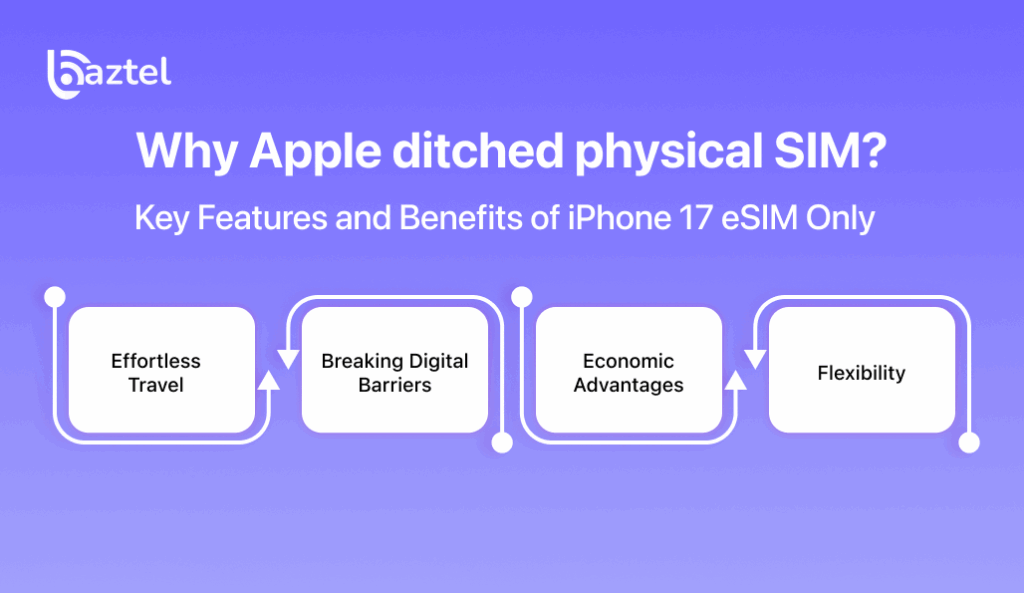
Key Features and Benefits of iPhone 17 eSIM Only
Effortless Travel
The eSIM in the new iPhone has changed the way people used to travel. Imagine you land in New Zealand, and you immediately get access to local data. This is possible with the new eSIM in iPhone 17. When you have to switch between multiple carriers, it’s easier than ever. The eSIM in this iPhone makes SIM-free connectivity seamless and smooth. There are many eSIM apps that let you use this eSIM, giving access to local carriers easily, which wasn’t possible earlier.
For international travelers, using a local eSIM allows you to keep your home number active while enjoying local data plans, providing both convenience and cost savings. eSIM technology also reduces downtime for corporate users between meetings, flights, or client visits, enhancing productivity.
Breaking Digital Barriers
Many countries have restricted internet policies that do not allow outsiders to access roaming services easily. In countries like China, where some applications or websites may be blocked, eSIM lets you get local roaming services. By connecting with international eSIM providers, users can access content or services that were otherwise restricted in their home countries.
Economic Advantages
The eSIM in the iPhone 17 costs you nothing at all. Data plans are very affordable with the iPhone 17 eSIM. You don’t have to go for expensive roaming and can easily enjoy SIM-free connectivity at a lower cost. You can choose from a wide range of carriers without extra charges, letting you enjoy an internet connection without worrying about cost. Additionally, eliminating plastic SIM cards with eSIM-only iPhones helps reduce plastic waste, supporting a more sustainable and eco-friendly approach to travel.
Flexibility
It makes SIM-free connectivity simple and hassle-free. Wherever you go, you can simply activate the local plan without removing the home SIM. This lets you keep your mobile number active while using local data. You can activate a new cellular plan in minutes by scanning a QR code or using a carrier app, making switching seamless.
Some iPhone 17 models in certain regions support both a physical SIM and eSIM, allowing users to utilize both for multiple lines or travel needs. Different iPhone models, such as the iPhone XR and iPhone XS, also support eSIM features, making it easy for users to manage dual SIM options or switch between physical SIM and eSIM while traveling.
The iPhone 17 Pro stands out with advanced features, including a high-density battery, improved battery capacity, and all-time high battery life for extended usage and video playback. Battery life improvements in the latest iPhone models are due to increased battery capacity and innovative internal design.
Regional differences exist, with some markets offering eSIM-only models and others supporting both a physical SIM and eSIM, so it’s important to check your iPhone model for compatibility and features.
With these features in mind, let’s move on to how you can activate and set up your iPhone 17 eSIM.
How to Activate and Set Up iPhone 17 eSIM?
You can activate your eSIM on iPhone through several methods. Here’s how:
Quick Transfer: Transfer Your Phone Number from Your Previous iPhone
If your network provider supports eSIM Quick Transfer, you can transfer the SIM from your previous iPhone to your new iPhone without contacting them. With some network providers, you can also convert your current physical SIM card to an eSIM.
Before you begin, make sure:
- You’ve signed in to both devices with your Apple Account
- Your previous iPhone is unlocked with the device passcode
- Both devices are nearby with Bluetooth turned on
- Both iPhones are on iOS 18.4 or later
During setup of your new iPhone:
- If you’re asked to transfer your phone number, follow the onscreen instructions to transfer your physical SIM or eSIM.
To transfer your phone number after setup:
- Open your iPhone and tap on Settings.
- Open Mobile Data, then tap Set up mobile data or Add eSIM.
- Choose a mobile plan to transfer from another iPhone. If you can’t see a list of numbers, tap Transfer From Nearby iPhone.
- Follow the instructions on your previous iPhone. To confirm, tap Transfer or, if asked for a verification code, enter the code that’s displayed on your new iPhone.
- Wait for the mobile plan to be activated on your new iPhone. Your previous SIM will be deactivated when the mobile plan on your new iPhone is activated.
- If a banner appears on your new iPhone that says Finish Setting Up Your Network Provider’s Mobile Plan, tap it. You will be redirected to your network provider’s web page to transfer your eSIM. If you need help, contact your network provider.
QR Code Activation
Most carriers provide QR codes for eSIM activation on the iPhone 17. To activate:
- Make sure you have an internet connection.
- Scan the QR code with your iPhone’s camera.
- The carrier profile will automatically download and install.
- Wait a couple of minutes for the process to complete.
Manual Entry
If QR codes are unavailable or problematic, you can activate your eSIM using carrier apps or by entering details manually:
- Open Settings > Mobile Data > Add eSIM.
- Select Enter Details Manually.
- Input the information provided by your carrier.
With your eSIM activated, let’s see where you can use it and which carriers support it.
Supported Countries and Carriers for iPhone 17 eSIM
The iPhone 17 eSIM is available in various countries. Here are some of the popular countries where you can use the iPhone 17 eSIM:
- United States
- U.S Virgin Islands
- Saudi Arabia
- United Arab Emirates
- Bahrain
- Qatar
- Oman
- Kuwait
- Mexico
- Japan
- Guam
- Canada
Australia offers both physical SIM slots and eSIM options for the iPhone 17, giving users flexibility to choose between traditional SIM cards and eSIM technology.
In China mainland, eSIM support is limited. Only certain iPhone models, such as the iPhone Air, support eSIM in China mainland, and there are restrictions on eSIM activation and service options. eSIM service options and device compatibility can vary across different regions, including mainland China and Hong Kong.
For Hong Kong, iPhone models sold in Hong Kong and Macau support eSIM, but these devices cannot access mainland China’s eSIM services due to regional and carrier restrictions.
Carriers providing SIM-free connectivity in the iPhone 17 eSIM include:
- Airtel
- Reliance Jio
- Vi
Now that you know where and with whom you can use your iPhone 17 eSIM, let’s discuss how to choose the best eSIM provider and plan.
eSIM Providers and Plans: How to Choose the Best Option
With the iPhone 17 ushering in a new era of SIM-free connectivity, choosing the right eSIM provider and plan is more important than ever. As physical SIM cards become a thing of the past, iPhone users now have access to a wider range of worldwide service providers, each offering unique plans tailored for different needs—whether you’re a frequent traveler, a business professional, or someone who simply wants reliable mobile data at home.
Coverage
Not all eSIM providers offer the same level of service in every country or region, so it’s crucial to check if your chosen provider supports seamless connectivity where you live, work, or travel. Many leading eSIM providers have partnerships with local carriers, ensuring strong signal and fast data speeds without the need for a physical SIM slot.
Pricing and Data Allowances
One of the biggest advantages of eSIM technology is the potential for cost savings, especially when traveling internationally. Instead of paying high roaming fees or waiting for a physical SIM to arrive, you can instantly activate a local or global eSIM plan directly from your iPhone. Look for plans that match your data usage habits and offer transparent pricing, so you’re never caught off guard by unexpected charges.
Compatibility
While most carriers now support eSIM, it’s important to confirm that your chosen provider’s plans are optimized for the iPhone 17 and other Apple products. Some providers even offer special features like bundled international minutes or support for video calls, making it easier to stay connected wherever you go.
Customer Support and Ease of Activation
The best eSIM providers offer simple activation processes—often just a QR code scan or a few taps in an app—and responsive customer service in case you need help. This eliminates the hassle of dealing with physical SIM cards or waiting in line at a store.
Ultimately, the flexibility of eSIM means you can switch between providers and plans as your needs change, all without swapping out physical cards. Whether you’re looking for a travel eSIM for your next adventure, a reliable home eSIM for everyday use, or planning to explore France with eSIM connectivity, taking the time to compare your options ensures you get the most out of your iPhone 17’s next-generation connectivity. As eSIM adoption continues to grow, users can look forward to even more choices, better deals, and a truly seamless mobile experience.
With the main benefits and setup covered, let’s weigh the pros and cons of using eSIM on the iPhone 17..
Pros and Cons of iPhone 17 eSIM
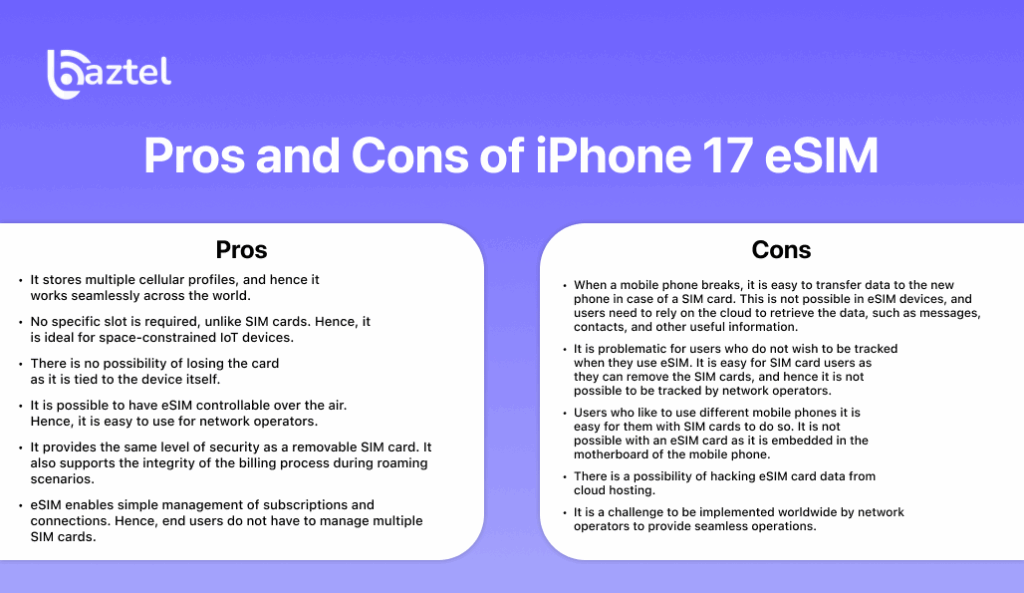
Before you start using eSIM, it’s important to understand it in all aspects. Below, you can see the pros and cons of eSIM in your new iPhone:
Pros
- Stores multiple cellular profiles, working seamlessly across the world.
- No specific slot is required, making it ideal for space-constrained IoT devices.
- No possibility of losing the card as it is tied to the device itself.
- eSIM is controllable over the air, making it easy for network operators.
- Provides the same level of security as a removable SIM card and supports the integrity of the billing process during roaming scenarios.
- Enables simple management of subscriptions and connections, so end users do not have to manage multiple SIM cards.
- Contributes to environmental sustainability by eliminating plastic SIM cards and packaging.
Cons
- When a mobile phone breaks, it is easy to transfer data to the new phone in case of a SIM card. This is not possible in eSIM devices, and users need to rely on the cloud to retrieve the data, such as messages, contacts, and other useful information.
- It is problematic for users who do not wish to be tracked when they use eSIM. It is easy for SIM card users as they can remove the SIM cards, and hence it is not possible to be tracked by network operators.
- Users who like to use different mobile phones find it easier with SIM cards. It is not possible with an eSIM card as it is embedded in the motherboard of the mobile phone.
- There is a possibility of hacking eSIM card data from cloud hosting.
- It is a challenge to be implemented worldwide by network operators to provide seamless operations.
Now, let’s see how eSIM impacts your travel experience with the iPhone 17.
Traveling with iPhone 17 eSIM: Is It Easier or Harder?
Travelling with an iPhone 17 eSIM is actually easier. Here is how it can benefit you:
- eSIM is more secure than a physical SIM because it can’t be removed if your iPhone is lost or stolen.
- With eSIM, you don’t need to obtain, carry, or swap physical SIM cards (which can also be lost), or wait for them to arrive by post.
- You can have two eSIMs active at the same time on supported iPhone models. For example, you can use one eSIM for your home phone number and another eSIM for the place you’re visiting.
- You can store eight or more eSIMs and swap which of your stored eSIMs are active, simply by changing your selections in Settings.
Before you travel, check if your network provider includes international roaming on select data plans without additional fees. Some countries and regions might be included in your home plan. Alternatively, your network provider may offer affordable travel passes or plans that you can purchase ahead of time to use when you arrive at your destination. eSIM works just like roaming with a physical SIM. International roaming with an eSIM
With these travel benefits in mind, let’s look at some common challenges users may face.ks just like roaming with a physical SIM.
Common Problems for iPhone 17 eSIM Users
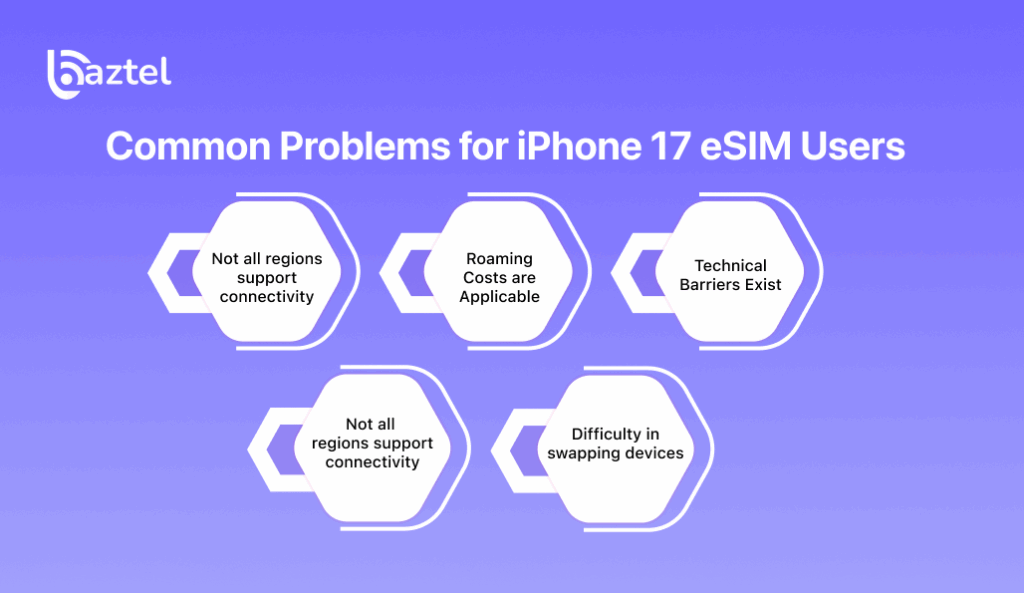
Along with the benefits, the eSIM in iPhone 17 has some setbacks too. Here are some challenges you might face while using it:
- Not all regions support connectivity: Not all mobile operators fully support eSIM activation. In rural or developing regions, travelers may find fewer options and higher roaming reliance.
- Roaming Costs are Applicable: Switching to eSIM doesn’t magically eliminate roaming fees. Unless you purchase local or global eSIM data plans, sticking with your home carrier abroad can be costly.
- Technical Barriers Exist: While scanning a QR code sounds simple, not all travelers are comfortable navigating eSIM menus. This learning curve might frustrate older users or first-time iPhone buyers.
- Travel Emergencies: If your eSIM profile fails to activate and there’s no Wi-Fi nearby, resolving the issue becomes trickier compared to just inserting a backup SIM—especially if you rely on navigation apps like Google Maps that use mobile data.
- Difficulty in swapping devices: With an eSIM, you need to activate it on your new phone and deactivate it from the old one each time you switch devices. For this, traditional SIMs are more convenient if you have to frequently swap phones. Also, if your eSIM-compatible device becomes inoperable, you might face issues accessing eSIM, leaving you without service until the problem is solved.
Conclusion
Rolling out eSIM by the world’s biggest tech giant signals something. It’s that the world will now be moving forward with digital resources and not physical equipment. With the iPhone 17 eSIM-only, the message is crystal clear: no physical SIM slots. Now you don’t need to carry a physical SIM anymore or worry about losing it. You got an upgrade with iPhone 17 eSIM. It provides better connectivity, flexibility, instant activation, and improved security. With BazTel’s coverage, iPhone users can take advantage of eSIM wherever they go. Visit our website now and get the iPhone 17 eSIM.ke advantage of eSIM wherever they go. Visit our website now and get the iPhone 17 eSIM.

Blog Author
Peter
Peter started BazTel.co to make mobile internet easier for travellers. He noticed how tough it was to find good network options while visiting new countries. That’s when he built BazTel — a place where anyone can buy eSIMs online without confusion or long steps. He believes tech should be simple and useful, not complicated. When he’s free, he likes to travel, test BazTel himself, and keep improving it based on real user problems.