Botswana
 Zambia
 Congo
Congo Colombia
 China mainland
 Chile
Chile Chad
Chad Central African Republic
 Canada
 Cameroon
 Cambodia
 Burkina Faso
 Bulgaria
 Brunei Darussalam
 Brazil
 Aland Islands
 Bosnia and Herzegovina
 Bolivia
 Belgium
 Belarus
 Bangladesh
 Bahrain
 Azerbaijan
 Austria
 Australia
 Armenia
 Argentina
 Algeria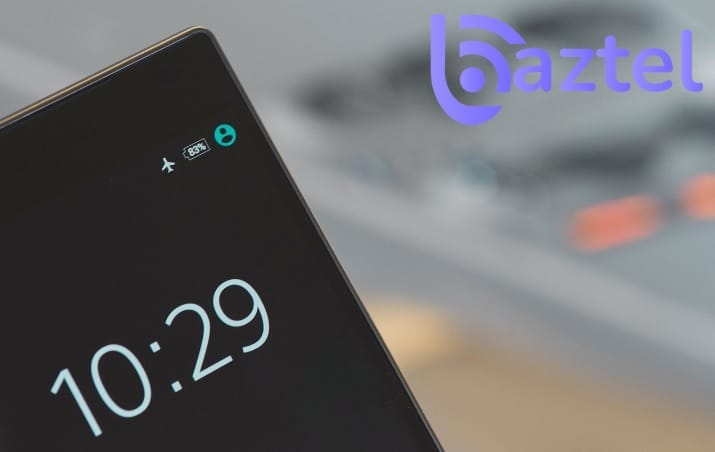

Whether you’re a frequent flyer or an occasional traveler, you’ve probably heard flight attendants announce: “Please switch your devices to airplane mode.” But what exactly is airplane mode, and why is it so important? More importantly, how can understanding this simple feature transform your travel experience—especially when combined with modern solutions like travel eSIMs?
This guide is designed for travelers, frequent flyers, and anyone curious about maximizing their device’s features. In this comprehensive guide, we’ll explore everything you need to know about airplane mode, from its core functionality to surprising benefits that extend far beyond air travel.
What is Airplane Mode?
Airplane mode is a setting available on portable devices that suspends the device’s radio-frequency signal transmission technologies. Airplane mode disables all wireless and cell signal capabilities on a phone. Airplane mode (also known as flight mode, offline mode, or aeroplane mode) is a setting available on virtually all modern electronic devices, including smartphones, tablets, laptops, and smartwatches. When activated, airplane mode suspends the device’s radio-frequency signal transmission technologies, including Bluetooth, cellular telephony, and Wi-Fi.
The feature was originally developed to comply with aviation safety regulations, ensuring that personal electronic devices wouldn’t interfere with aircraft communication and navigation systems during flights. However, as we’ll discover, its utility extends far beyond the airplane cabin.
How Does Airplane Mode Work?
When you activate airplane mode, your device immediately disables several wireless communication functions:
Cellular Connection
Your phone stops communicating with cell towers, which means you cannot make or receive calls, send or receive text messages, or use mobile data to access the internet. This is the primary function that gives airplane mode its name and purpose.
Wi-Fi Connection
By default, airplane mode turns off Wi-Fi connectivity. However, on most modern devices, you can manually turn Wi-Fi back on while staying in airplane mode. This flexibility allows you to use in-flight Wi-Fi services or connect to hotel networks while still complying with airline regulations.
Bluetooth
Bluetooth connections are also disabled when you activate airplane mode. Similar to Wi-Fi, you can typically re-enable Bluetooth manually without deactivating airplane mode entirely—perfect for using wireless headphones during your flight.
GPS and Location Services
While GPS technically receives signals rather than transmits them, airplane mode’s effect on location services can vary by device. Your GPS may continue to function, but without an active data connection, many location-based services may not work as expected.
Why Do You Need to Use Airplane Mode?
Aviation Safety Requirements
The primary reason for airplane mode is safety. Electronic devices emit radio waves that could potentially interfere with aircraft navigation and communication systems. According to the FAA, devices must be used in airplane mode or with the cellular connection disabled, and the FCC and FAA ban cell phones for airborne use because signals could cause radio interference with critical airplane systems.
While modern aircraft are increasingly shielded against such interference, regulations remain in place as a precautionary measure. Pilots have reported hearing background noise and interference from phones, particularly during critical phases like landing when devices begin reconnecting to cell towers.
Federal Regulations
In the United States, it’s not just an airline policy—it’s federal law. Federal regulations state that cellular telephones aboard aircraft must not be operated while such aircraft are airborne (not touching the ground). Violating these regulations could result in penalties and jeopardize everyone’s safety.
Network Management
Beyond aircraft safety, there’s another technical reason: when planes fly at lower altitudes, mobile phones attempting to maintain cellular connections can ping multiple cell towers simultaneously. This can overload ground networks and cause service disruptions for people on the ground, particularly during takeoff and landing.
What Can You Do in Airplane Mode?
Just because you turn on airplane mode doesn’t mean it becomes a paperweight. You can still access a wide range of features and functions:
Available Functions:
- Use offline apps and games that don’t require internet connectivity
- Listen to music, podcasts, and audiobooks stored on your device
- Watch downloaded movies and TV shows
- Read e-books and documents
- Take photos and videos (camera function remains active)
- Use your device’s calculator, notes, and other offline tools
- View saved boarding passes and travel documents
- Set and use alarms (though time zones won’t update without connectivity)
Selective Connectivity: Many airlines now offer in-flight Wi-Fi, and modern regulations allow you to reconnect to Wi-Fi and Bluetooth while keeping cellular services disabled. This means you can browse the internet, check emails, use messaging apps like WhatsApp, and enjoy your wireless headphones—all while technically remaining in airplane mode.
How to Activate Airplane Mode on Different Devices
iPhone and iPad
- Swipe down from the top-right corner to open Control Center
- Tap the airplane icon
- Alternatively, go to Settings and toggle Airplane Mode at the top
Android Devices
- Swipe down from the top of the screen to open Quick Settings
- Tap the airplane icon
- Or navigate to Settings > Network & Internet > Airplane mode
Windows Laptops
- Click the network icon in the taskbar
- Select the airplane icon to toggle airplane mode on or off
Mac Computers
MacBooks don’t have a dedicated airplane mode button, but you can achieve the same effect by manually turning off Wi-Fi and Bluetooth in System Settings.
Surprising Benefits of Airplane Mode Beyond Flying
While airplane mode was designed for air travel, savvy users have discovered numerous benefits for everyday situations:
1. Extended Battery Life
Airplane mode conserves battery power by preventing the device from searching for cell signals or Wi-Fi networks. Airplane mode reduces power consumption and increases battery life. Since a device’s transmitters are shut down when in airplane mode, the mode reduces power consumption and increases battery life.
When your phone isn’t constantly searching for signals or syncing data in the background, it conserves significant energy. This can be a lifesaver when you’re running low on phone battery and a charger isn’t immediately available.
2. Faster Charging
Airplane mode helps charge your device faster by reducing background activity. Here’s a clever trick: turn on airplane mode before plugging in your device. Research suggests that phones can charge approximately four times faster in airplane mode because they’re not wasting power on background tasks like checking notifications, syncing apps, or maintaining network connections.
3. Avoid International Roaming Charges
One of the most valuable uses of airplane mode for international travelers is avoiding unexpected roaming charges. When traveling abroad, activating airplane mode can reduce data roaming charges, which is a lifesaver when traveling internationally.
However, there’s an even better solution: travel eSIMs from BazTel eSIM. With a BazTel eSIM, you can enjoy local data rates without the hassle of hunting for physical SIM cards at airports or worrying about roaming fees. Simply purchase your eSIM plan before departure, install it on your device, and you’re ready to connect the moment you land.
4. Enhanced Focus and Productivity
Airplane Mode eliminates constant notifications, allowing for better concentration on tasks such as work or entertainment. Need to concentrate on an important task? Airplane mode can be your go-to tool to combat distractions by cutting off the internet connection, making it easier to concentrate on the task at hand.
No calls, texts, or social media notifications interrupting your workflow—just pure, uninterrupted focus time. Airplane mode cuts down on distractions by disabling calls, texts, and app alerts.
5. Improved Sleep Quality
Studies show that having your phone near your bed can negatively impact sleep quality, even in airplane mode. However, if you need your phone as an alarm, just turn airplane mode which would ensure you won’t be disturbed by late-night notifications while still allowing your alarm to function normally.
6. Network Troubleshooting
Experiencing connectivity issues? Toggle airplane mode on for a few seconds, then turn it off again. This quick reset often resolves problems by forcing your device to reconnect to networks fresh, without requiring a full device restart.
7. Preventing Accidental Disruptions
In meetings, classes, theaters, or other situations where silence is essential, airplane mode ensures your device won’t ring, vibrate, or make any sounds. You can still use your phone for taking notes or accessing offline content without fear of embarrassing interruptions.
8. Security and Privacy
Turning off wireless signals in Airplane Mode reduces the risk of device tracking or interception in crowded areas. When traveling through areas with unsecured public networks or in regions with heightened digital surveillance, airplane mode adds a layer of protection. By disabling wireless connections, you reduce the risk of unauthorized access to your device and data.
Airplane Mode and eSIM Technology: The Perfect Travel Combination
The emergence of eSIM technology has revolutionized how travelers stay connected, and understanding how airplane mode works with eSIMs is essential for modern international travel.
What is an eSIM?
An eSIM (embedded SIM) is a digital SIM card embedded directly into your device. Unlike traditional physical SIM cards, eSIMs allow you to download and activate mobile plans digitally, eliminating the need to swap physical cards when traveling between countries.
How Airplane Mode Works with eSIMs
When you activate airplane mode on a device with an eSIM installed, the eSIM’s cellular connectivity is disabled just like a physical SIM would be. However, the eSIM profile remains stored on your device, ready to reconnect when you deactivate airplane mode.
This functionality creates a seamless travel experience:
- Before Departure: Install your BazTel eSIM before leaving home
- During Flight: Keep your device in airplane mode to comply with regulations
- Upon Arrival: Simply toggle airplane mode off, and your BazTel eSIM instantly connects to the local network
No need to visit airport kiosks, fumble with tiny SIM cards, or hunt for network providers in an unfamiliar country. Your connectivity is ready the moment you are.
Avoiding Roaming Charges with eSIM
For travelers with primary SIM cards from their home country, the combination of airplane mode settings and eSIM technology provides complete control over connectivity costs:
- Turn off data roaming on your primary SIM to prevent unexpected charges
- Use your BazTel eSIM exclusively for data
- Continue receiving calls and texts through Wi-Fi calling on your primary number
- Enjoy affordable local data rates through your travel eSIM
This dual-SIM strategy (whether physical + eSIM or dual eSIM) gives you the best of both worlds: staying reachable on your home number while accessing affordable data through your travel eSIM.
Benefits of Using BazTel eSIM for International Travel
Instant Activation: Purchase and install your BazTel eSIM before departure, ensuring connectivity the moment you land
Wide Coverage: Access reliable networks in hundreds of destinations worldwide
Flexible Plans: Choose data packages that match your travel duration and usage needs based on the best time to visit Jamaica
Cost-Effective: Enjoy local rates without expensive roaming charges or the markup of airport SIM vendors
No Physical Swapping: Keep your primary SIM in place while adding travel connectivity digitally
Easy Management: Top up, check usage, and manage your plan through a simple app interface
Common Myths About Airplane Mode
Myth 1: “Airplane Mode Completely Drains Your Battery”
Reality: The opposite is true. Airplane mode actually conserves battery by shutting down power-intensive wireless functions.
Myth 2: “You Can’t Use Any Features in Airplane Mode”
Reality: Many functions remain available, including cameras, offline apps, downloaded media, and even Wi-Fi and Bluetooth if you manually re-enable them.
Myth 3: “Airplane Mode is Only for Planes”
Reality: As we’ve explored, airplane mode has numerous practical applications for daily life, from extending battery life to improving focus.
Myth 4: “Modern Planes Don’t Need Airplane Mode Anymore”
Reality: While aircraft are better shielded than before, regulations remain in place for safety, and interference risks still exist, particularly during critical flight phases.
Myth 5: “Using Your Phone Without Airplane Mode Won’t Cause Problems”
Reality: Even if catastrophic interference is unlikely, pilots report hearing background noise from cellular signals, and federal regulations prohibit airborne cellular use for good reason.
Tips for Travelers Using Airplane Mode and eSIMs
Before Your Flight:
- Install your BazTel eSIM and verify it’s properly configured
- Download offline content: movies, music, podcasts, maps, and e-books
- Take screenshots of important documents: boarding passes, hotel confirmations, and itineraries
- Charge your devices fully, and consider packing a portable power bank
- Disable data roaming on your primary SIM to prevent accidental charges
During Your Flight:
- Activate airplane mode before takeoff
- If the airline offers in-flight Wi-Fi, manually re-enable Wi-Fi after reaching cruising altitude
- Use this uninterrupted time for focused work, reading, or rest
- Keep devices charged by using airplane mode, which reduces battery drain
Upon Arrival:
- Turn off airplane mode to activate your BazTel eSIM
- Verify your eSIM is selected for mobile data in your device settings
- Confirm you’re connected to a local network through your eSIM (if you plan to use navigation apps while traveling, learn how much data Google Maps uses)
- Keep data roaming disabled on your primary SIM if you want to maintain access to calls and texts via Wi-Fi calling
Frequently Asked Questions
Q: Will my alarm still work in airplane mode? A: Yes, alarms function normally in airplane mode. However, if you cross time zones, your device won’t automatically update the time until you reconnect to a network.
Q: Can I receive emergency calls in airplane mode? A: No, you cannot receive calls when cellular connectivity is disabled. However, if connected to Wi-Fi, Wi-Fi calling may allow you to receive calls if your carrier supports it.
Q: Does airplane mode affect my eSIM differently than a physical SIM? A: No, airplane mode disables both physical SIMs and eSIMs equally. Both will reconnect when you deactivate airplane mode.
Q: How quickly does my eSIM connect after leaving airplane mode? A: Typically within seconds to a couple of minutes, depending on network availability at your location. BazTel eSIMs are designed for instant activation and quick connection.
Q: Can I use two eSIM profiles simultaneously? A: Most devices support one active eSIM at a time, though you can store multiple profiles and switch between them easily. Check your specific device’s dual-SIM capabilities.
Q: Will I lose my eSIM if I factory reset my phone? A: eSIM profiles may be erased during a factory reset. Always back up your eSIM information and consider temporarily transferring it to another device or deleting and reinstalling after the reset.
The Future of Connectivity: Airplane Mode and Beyond
As technology evolves, so does the relationship between travel regulations and device connectivity. Some airlines in Europe have begun allowing 5G connectivity on flights, using specialized systems that don’t interfere with aircraft operations. This technology uses different frequency bands and lower power settings than traditional mobile networks, making it safer for use during flight.
However, these changes vary by region and carrier, and for the foreseeable future, airplane mode will remain a standard requirement for air travel worldwide. The good news? With modern solutions like eSIM technology, staying connected has never been easier or more affordable.
Conclusion: Master Airplane Mode for Smarter Travel
Airplane mode is far more than a simple on-off switch for your device’s wireless functions. It’s a versatile tool that enhances safety, extends battery life, boosts productivity, and—when combined with smart solutions like BazTel eSIMs—transforms your travel experience.
By understanding how it works and leveraging its benefits alongside modern eSIM technology, you can travel with confidence, knowing you’re complying with regulations while maintaining affordable, reliable connectivity wherever your journey takes you.
Ready to experience hassle-free international connectivity? Explore BazTel’s range of travel eSIM plans covering destinations worldwide. Purchase your eSIM today, install it before your trip, and enjoy instant connectivity the moment you land—no airport kiosks, no physical SIM cards, no excessive roaming charges. Just seamless, affordable connectivity for the modern traveler.
Travel smarter with BazTel. Your world, instantly connected.

Blog Author
Peter
Peter started BazTel.co to make mobile internet easier for travellers. He noticed how tough it was to find good network options while visiting new countries. That’s when he built BazTel — a place where anyone can buy eSIMs online without confusion or long steps. He believes tech should be simple and useful, not complicated. When he’s free, he likes to travel, test BazTel himself, and keep improving it based on real user problems.